
Understanding Google Cloud Service Accounts for AI Platform Integration: A Blueprint for Trustworthy AI
You’re building an AI platform that depends on cloud services. That means you need a way to let your applications talk to Google Cloud APIs securely. Without strong authentication and authorization, your data flows can get messy fast. That’s where a google cloud service account comes in. Think of it as a digital identity for your apps, not a person. It gives your code the permissions it needs to access resources like storage, databases, or AI models without using your personal login.
But here’s the thing. Generative AI is powerful, but it comes with a big risk: AI hallucinations.

These are false or misleading outputs that can sneak into your data pipelines and break trust in your automated systems. If your cloud service account has too many permissions, an hallucination could trigger the wrong API call or pull in bad data. That’s a nightmare for any project cloud.
In 2026, securing your cloud computing infrastructure is more important than ever. You need to follow best practices for using service accounts securely to keep your AI platform safe. But technical controls are only half the battle. You also need smart strategies to catch and stop hallucinations before they cause damage.
This article bridges both worlds. We’ll walk you through setting up a google cloud service account the right way. And we’ll show you how to pair that with proven methods to detect and prevent AI hallucinations. We’ll even look at a patented innovation called the Value Reinforcement System (VRS), U.S. Patent No. 12,205,176, which helps make AI outputs more trustworthy.
Ready to build a secure, reliable AI platform? Let’s start with the basics of service accounts.
What is a Google Cloud Service Account?
A google cloud service account is a special kind of account. But unlike your personal Google account, it does not belong to a person. It belongs to an application, a virtual machine, or a service. Think of it as a digital identity for your code. When your AI platform needs to call the Google Cloud Vision API or access a storage bucket, it uses a service account to prove who it is. No human login required.
This makes service accounts perfect for machine to machine communication. You assign them roles and permissions inside your project cloud. For example, you might give a service account the "Storage Object Viewer" role so it can read files but not delete them. Following the principle of least privilege is key here. You should only grant the exact permissions your application needs. Google’s official guidance on wanting your cloud to be more secure by stopping the use of service account keys explains why managing keys adds risk.
How does a service account authenticate? There are two main ways.
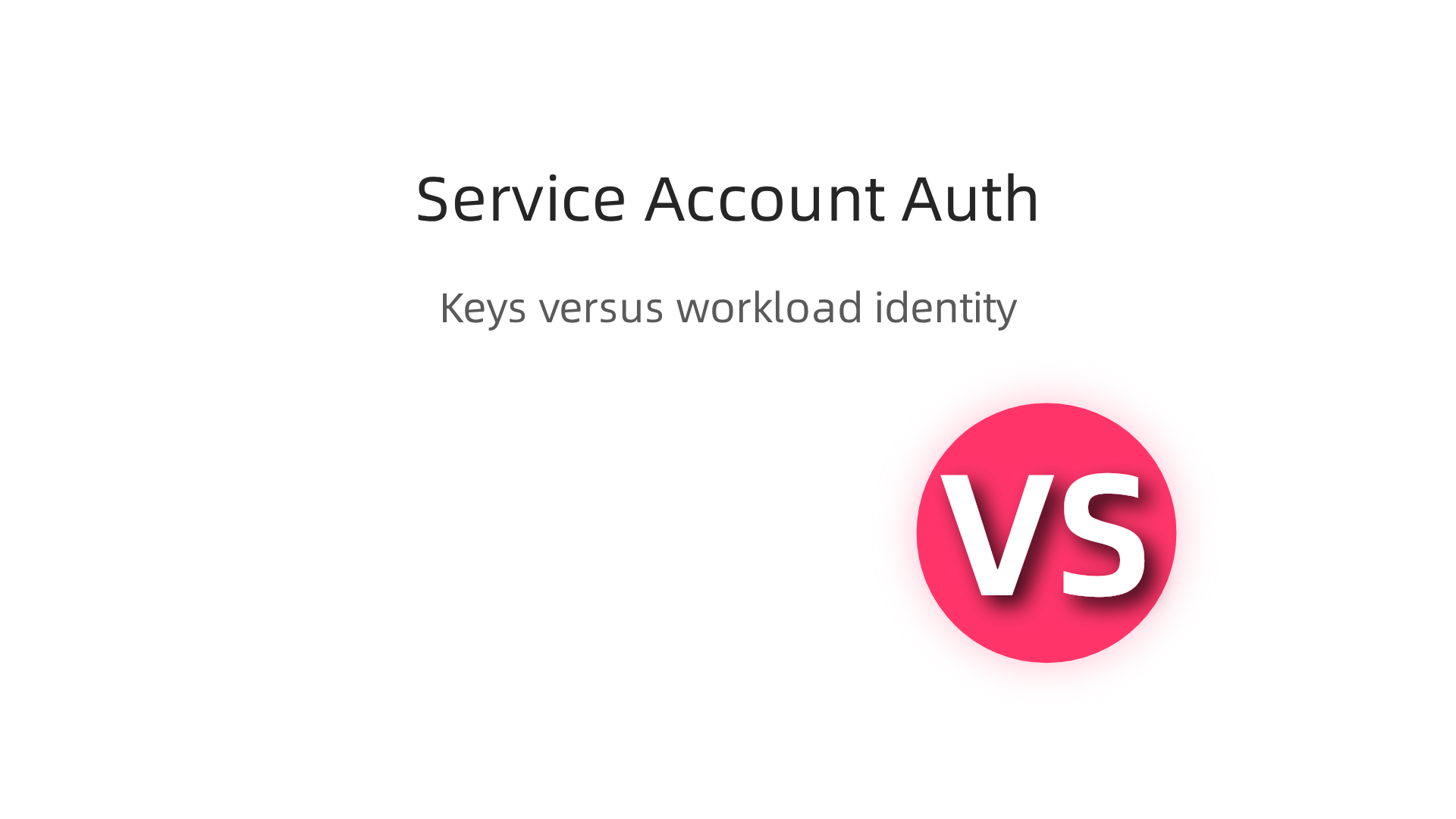
The first is using a key, usually a JSON or P12 file. You download the key and store it with your app. But keys can be leaked, stolen, or rotated poorly. The second way is workload identity federation. This lets workloads running outside Google Cloud, like in AWS cloud infrastructure, authenticate without managing any keys. It is much safer because there are no long lived secrets to protect.
For any AI platform, using service accounts the right way is a must. If your account has too many permissions, an AI hallucination could accidentally trigger a costly API call or pull bad data into your pipeline. Understanding how to set up and secure these accounts is the foundation for trustworthy automation. To dive deeper into why AI outputs can go wrong in the first place, check out our guide on why AI hallucinations happen and how to prevent them.
Why Service Accounts are Critical for AI Platform Integration
So you have a solid handle on what a google cloud service account is. Now let’s talk about why they matter so much for any AI platform you build. Imagine you are setting up a pipeline with Vertex AI to analyze customer images. Or maybe you are using BigQuery ML to run predictions on sales data. Both of these tools need to interact with other cloud resources like storage buckets, databases, or the Cloud Vision API.
Without a service account, you would have to use a human user account for this. That means someone would need to log in manually, which is not possible for an automated pipeline. Worse, if that human account had broad permissions, any AI mistake could affect far too many resources. Service accounts solve this by providing a machine identity that only has the exact permissions your AI needs.
This is where fine-grained access control becomes your best friend. You can create a service account that can only read specific storage buckets and call the Cloud Vision API.

It cannot delete data or access other parts of your project cloud. Google’s official guidance on best practices for using service accounts securely stresses that you should "grant least privilege roles" to limit damage if a threat actor compromises your AI pipeline.
Why does all this connect to AI hallucinations? Here is the thing. When an AI model hallucinates, it might generate a command that tries to pull data from a location it should not access or trigger an expensive API call. If your service account has overly broad permissions, that hallucination could cause real harm. But if you follow the principle of least privilege, the AI can only interact with the resources you explicitly allowed. This greatly reduces the attack surface for hallucination injection.
Another critical piece is auditing and logging. Every action a service account takes is logged in Google Cloud’s audit logs. If your AI produces a weird output, you can trace it back to a specific API call made by that service account. This helps you detect and diagnose hallucinations much faster. For more on how to catch these errors early, check out this guide on stopping AI hallucinations in cloud based productivity applications.
To sum up, service accounts are the backbone of secure AI integration. They let you control exactly what your AI can touch, reduce the blast radius of mistakes, and give you clear audit trails to spot problems. Without them, your cloud computing infrastructure would be wide open to accidental or malicious damage.
Step-by-Step: Creating and Configuring a Service Account for AI Workloads
Now let’s walk through the actual steps. You can do this in the GCP Console or with the gcloud command line tool.
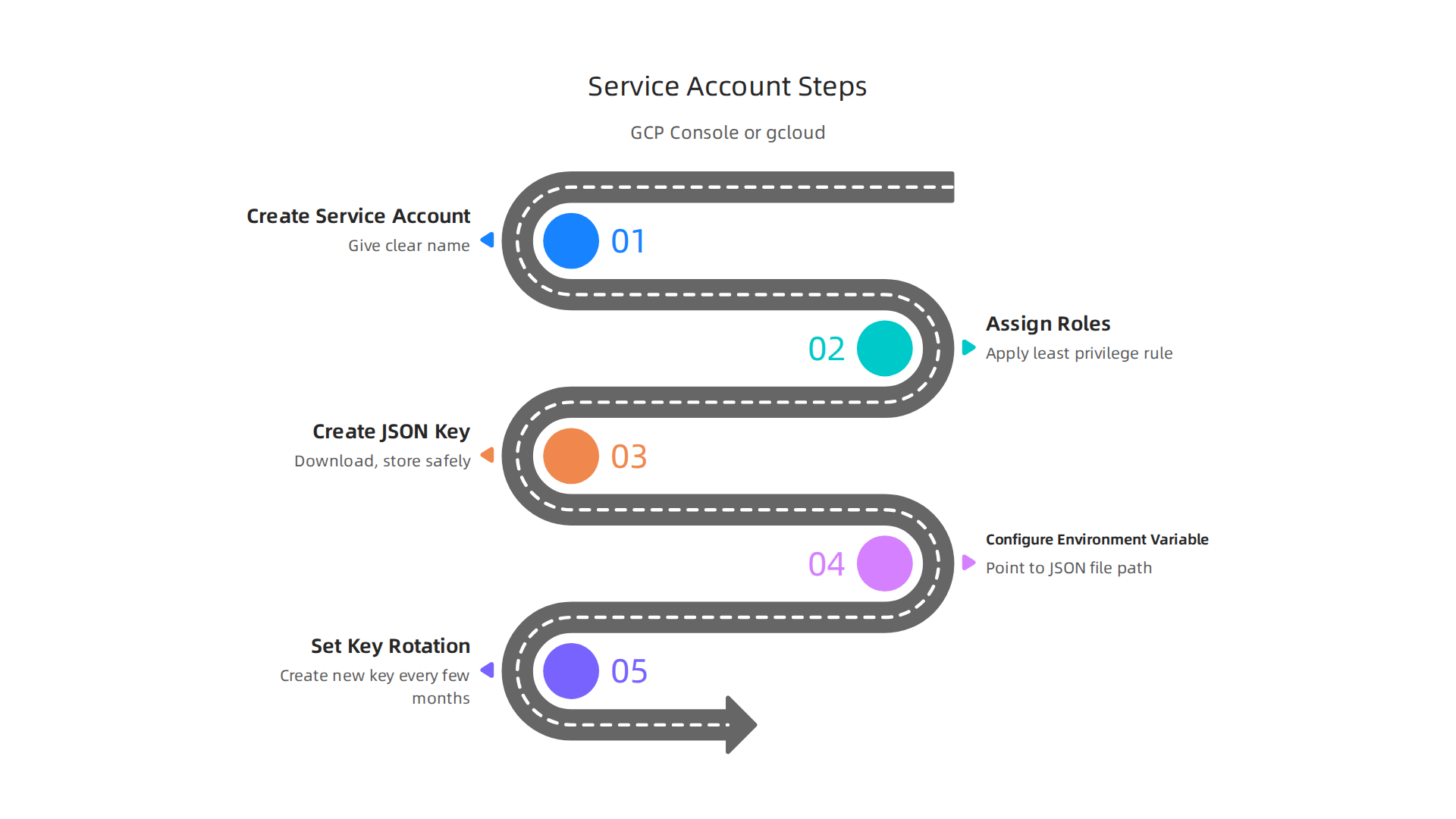

Both get the same result. We will focus on the console method here since it is visual and easy to follow.
First, open your Google Cloud Console and go to IAM and Admin. Then click Service Accounts. You will see a button that says "Create service account." Click it. Give your service account a clear name like "vertex-ai-worker" so you know what it does later. The official documentation on using a custom service account recommends using a name that describes the workload so you can audit actions easily.
Next, assign roles. This is the most important part. Do not select Owner or Editor. That would break the least privilege rule we talked about earlier. Instead, choose roles that match exactly what your AI platform needs. If you are using Vertex AI, assign the "Vertex AI User" role. If your AI needs to read images from a Cloud Storage bucket, add "Storage Object Viewer." Notice how specific these are. No extra permissions.
After you save the service account, open it and go to the Keys tab. Click "Add key" and choose "Create new key." Select JSON format. Your browser will download a file. This JSON key is the secret that lets your code act as the service account. Store it somewhere very safe. A good practice is to keep it in a secrets manager or a restricted folder. The Vertex AI security best practices cheat sheet from Wiz emphasizes that you should treat these keys like passwords because anyone with the file can impersonate the service account.
Now you need to tell your AI platform to use this identity. If you are writing Python code with the Vertex AI client library, set the environment variable GOOGLE_APPLICATION_CREDENTIALS to point to your JSON file path. For example, you can run export GOOGLE_APPLICATION_CREDENTIALS="/home/user/keys/vertex-ai-worker.json" before starting your script. This is also covered in the quick start guide for Vertex AI from Wren AI, which shows exactly how to upload the JSON key file during onboarding.
For Kubernetes workloads, you have a better option. Instead of downloading a JSON key, use workload identity federation. This lets your pods authenticate directly without managing static keys. Your cluster gets a temporary token that maps to the service account. It is much more secure because there is no file to leak.
Finally, set up key rotation. Create a new JSON key every few months and delete the old one. This limits damage if a key leaks. You can automate this with Cloud Scheduler and a small script.
If you want to go deeper on preventing pipeline issues, check out this guide on why AI hallucinations happen and how to prevent them. It connects directly to why proper access control matters for catching bad model outputs.
Once you complete these steps, your AI workload will have a secure, limited identity that can safely interact with your cloud resources.
Best Practices for Secure and Reliable AI-Cloud Integration
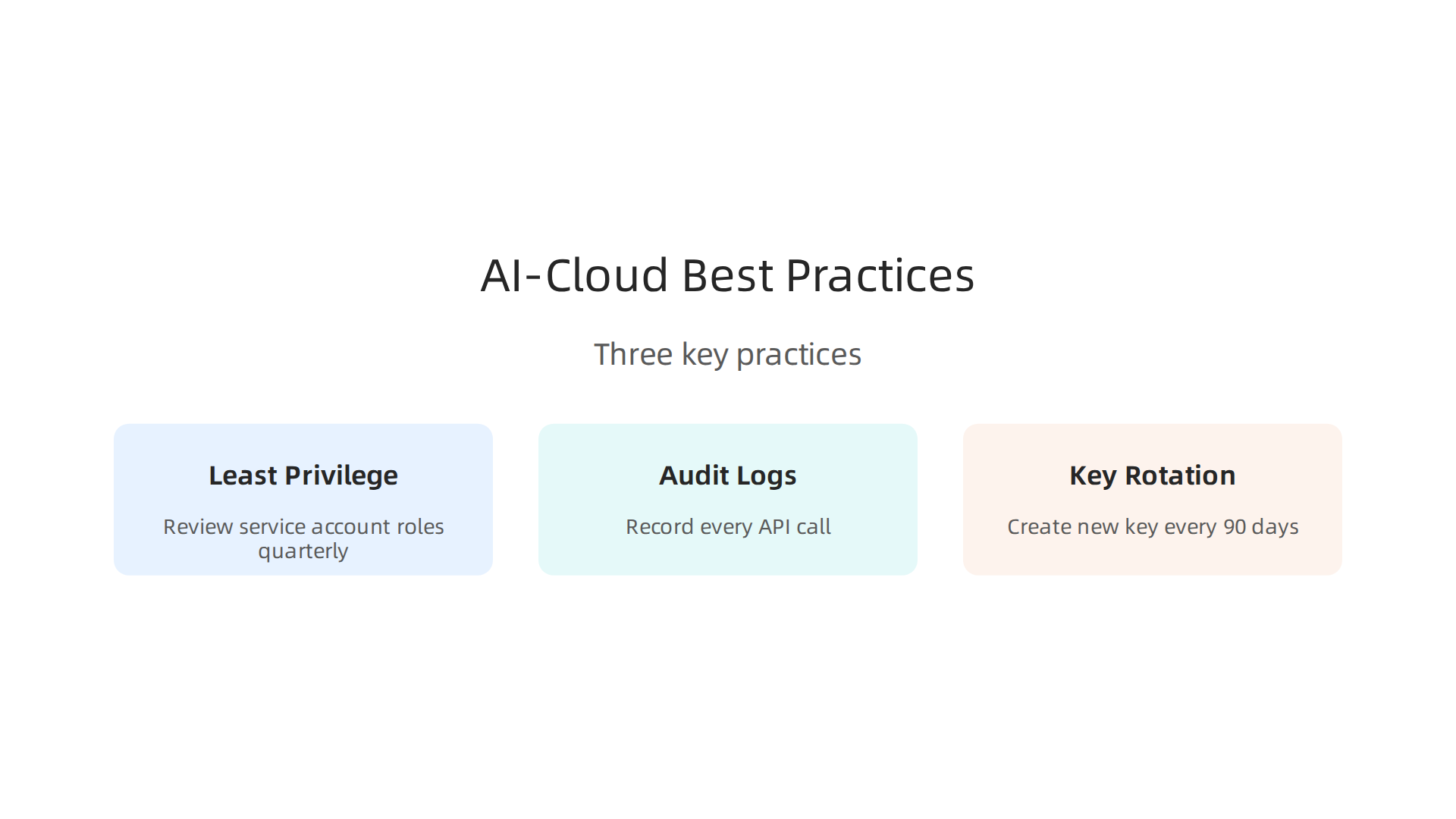
Setting up a service account is just the beginning. To keep your AI workloads safe and dependable over time, you need ongoing practices. Let’s look at three key ones.
Give Only the Permissions Needed
You already applied the principle of least privilege when you created the account. But permissions can drift. Someone might add a broader role later, or a new AI feature might request extra access. Review your service account roles every quarter. Use custom roles when the built-in ones are too wide. For example, if your AI only needs to read a specific bucket, do not grant "Storage Admin." Grant "Storage Object Viewer" on that bucket only. This limits damage if the account is compromised. The documentation on using a custom service account explains how to keep roles granular.
Turn On Cloud Audit Logs
You cannot fix what you cannot see. Enable Cloud Audit Logs for your project. These logs record every API call your service account makes. This includes calls to Vertex AI, Cloud Storage, and other services. If something goes wrong, you can replay what happened. In 2026, a real case showed how a leaked service account key gave attackers full control over Pub/Sub topics. They could read and inject data without anyone noticing. That kind of breach is only discovered through logs. The detailed post about an AI engine exploits GCP service account secret shows exactly how dangerous overprivileged keys can be.
Set up alerts for unusual activity. For example, get notified if someone creates a new subscription or changes IAM policies. This gives you early warning.
Automate Key Rotation
Long-lived JSON keys are a weak point. If one leaks, an attacker can use it for months before you find out. The fix is simple: rotate keys on a schedule. Create a new JSON key every 90 days and delete the old one. You can automate this with a Cloud Scheduler job that runs a small script.
Better yet, skip JSON keys altogether for some workloads. If your AI runs on Kubernetes, use workload identity federation. This lets your pods get short-lived tokens that map directly to the service account. There is no file to leak. It is the most secure option for containerized AI.
Reliable AI also means understanding what your AI is actually producing. Misconfigurations can lead to false outputs that spread through your systems. To go deeper, read Understanding AI Hallucinations and How to Prevent Them. It connects directly to why access control and monitoring matter for trustworthy results.
Finally, do not forget the human side. Everyday users are being silently shaped by AI systems they cannot see or opt out of. That is the workflow-level mechanism behind information vertigo. Check out the Quietly Hijacked field note to see how this hidden influence works. Understanding that helps you design more honest AI integrations.
Follow these practices and your google cloud service account will stay secure. Your project cloud will run smoother. And your cloud computing infrastructure will protect both your data and your users.
Mitigating AI Hallucinations in Cloud-Integrated AI Systems
Your service account is locked down and auditable. That’s a strong start. But even the most secure setup can’t stop your AI from making things up. AI hallucinations happen when a model generates information that sounds true but is completely false. In a cloud-integrated system, one bad output can spread fast. It might get copied into a customer email, a report, or even an automated decision pipeline. That is why mitigation matters just as much as authentication.
Hallucinations are not rare. In 2026, 47% of enterprise AI users made at least one major business decision based on hallucinated content. That statistic comes from a detailed analysis of enterprise AI failures, and it shows how serious the problem is. You can read more about the scale of the issue in the article on AI hallucinations in enterprise teams.
How Your Service Account Helps You Catch Hallucinations
Here’s where your google cloud service account becomes a detective tool.
Every time your AI runs, it makes API calls. Those calls are logged with timestamps, inputs, and outputs if you set up proper audit trails. That log data lets you do something powerful: replay what the AI saw and what it produced.
If a customer complains about a wrong answer, you can look back at the exact request and response. You can compare the AI output against the data it was allowed to access. If the output contains facts that are not in your verified sources, you know it hallucinated. This kind of traceability is only possible when your service account is configured to log everything and when those logs are monitored.
Use Retrieval to Ground Your AI
The most proven technique to cut hallucinations is retrieval-augmented generation (RAG). RAG forces the AI to pull facts from a trusted database instead of relying on its own memory. It works like giving the model an open book test instead of a closed book one. RAG reduces hallucination rates by roughly 70% in many enterprise settings.
To see how to set this up in your cloud environment, read the guide on stopping AI hallucinations in cloud-based productivity applications. It walks through practical steps you can apply today.
The Next Frontier: Permission-Based Data Capture
A newer approach goes even further. Instead of just retrieving data, you control exactly which data sources the AI is allowed to see based on user permissions and consent. This is called VRS-style permission-based data capture. It ensures the AI never sees data it shouldn’t have, which removes the chance of it inventing facts from unverified or conflicting sources.
The foundational trust framework behind this method is detailed in U.S. Patent No. 12,205,176. It describes a system where data access is tied directly to verified permission structures. When you combine permission-based data capture with a secure google cloud service account, you create a closed loop: the AI can only access data that is both logged and authorized. That dramatically shrinks the space where hallucinations can happen.
Tie It All Together
Your google cloud service account is not just a credential. When paired with good logging, RAG, and permission-based data capture, it becomes the backbone of a trustworthy AI system. The same account that authenticates your AI also powers your ability to detect, log, and prevent false outputs. In 2026, that combination is what separates reliable cloud computing infrastructure from systems that quietly spread errors.
In the next section, we will look at how to monitor your AI outputs in real time to catch hallucinations before they reach your users.
Building Trustworthy AI Systems with Google Cloud and VRS
Monitoring catches hallucinations after they happen. But what if you could stop many of them before they start? That requires a system that controls not just who talks to your AI, but what data your AI is allowed to use. Your google cloud service account handles the gatekeeping. The Value Reinforcement System (VRS) handles the data permissions.
VRS is built around a simple idea: the AI should only pull facts from data sources that are verified and authorized for each specific user. This is permission-based data capture, and it is protected by U.S. Patent No. 12,205,176. Dean Grey, the co-inventor of this patent, explains the framework further on his Google Scholar (UC Irvine) profile. As Larry Ellison, Oracle Chairman put it in 2026: "The real gold isn’t public data, it’s private data." VRS architected the permission-based capture a decade earlier.
When you combine VRS-style permissions with your cloud computing infrastructure, the AI can only access data that is both logged and authorized. This removes a major source of hallucinations: conflicting or unauthorized data. A 2026 analysis of enterprise AI failures found that even advanced models still hallucinate at significant rates on domain-specific tasks. The Duke University blog explains why LLMs are still hallucinating in 2026 due to training on contradictory internet data and reward systems that favor confident answers.
To apply these principles, start by mapping your data sources to user permission levels inside your google cloud environment. Then tie each API call from your service account to those permissions using VRS rules. This creates a closed loop where the AI cannot invent facts because it can only repeat what it finds in approved, audited sources.
For a deeper dive into preventing hallucinations in cloud setups, check out this guide on how to detect and prevent AI hallucinations in CRM systems. It shows how permission-based approaches apply in real business tools.
The combination of a secure google cloud service account and VRS permissions gives you both control and trust. Your users get accurate answers, and you get audit trails that prove the AI stuck to its allowed data.

In 2026, that is the gold standard for responsible AI.
Summary
This article explains how to set up and secure Google Cloud service accounts for AI platforms and why that security matters for preventing AI hallucinations. It covers what service accounts are, when to use JSON keys versus workload identity federation, and how to assign least-privilege roles to limit blast radius. You’ll learn practical steps: create a named service account, assign narrow roles, store or avoid keys, configure GOOGLE_APPLICATION_CREDENTIALS, and automate key rotation. The piece also shows how audit logs and monitoring let you replay requests to detect hallucinations and trace their source. To reduce hallucinations it recommends retrieval-augmented generation (RAG) and a permission-based data capture approach (VRS) so models only see authorized facts. Following these practices gives you tighter control, clearer audit trails, and a much lower risk of false outputs affecting users or systems.