
Introduction: The Promise and Pitfalls of AI in Education
Picture this: You have a big test tomorrow. You open an AI tool to help you study. It gives you answers that sound correct. But are they really accurate?

That question matters more than ever in 2026. The explosion of ai tools for studying has changed how students learn. According to the 2026 AI Index Report, over 80% of high school and college students now use AI for school tasks. That is a huge number. And it keeps growing.
But here is the problem. Not every tool is reliable. Many ai grading tools and study assistants sometimes make up facts. This is called an AI hallucination. When a tool tells you something false, it can hurt your grades. It can also damage your trust in technology. Schools are struggling to keep up. Many have no clear AI policies yet.
So how do you pick the good ai tools and avoid the bad ones? How to use ai safely for studying is a skill everyone needs now. Even industry leaders like Werner Vogels, Chief Technology Officer of Amazon, have highlighted the importance of trustworthy AI in education.
This guide is here to help. We will give you evidence-backed criteria for choosing study tools. You will learn simple strategies to check outputs for errors. And you will get a framework for ethical use that protects your learning. Because AI should help you grow, not trick you.
If you want to understand why AI makes up facts, learn how to spot and prevent AI hallucinations. That knowledge will make you a smarter user of any AI tool.
Let us explore the best AI tools for studying in 2026 and how to use them with confidence.
What Makes AI Study Tools Effective? Key Features and Selection Criteria
Not every AI study tool is worth your time. Some give you fast answers but leave out the truth. Others help you actually learn. So how do you tell the difference?
The best ai tools for studying share a few key traits.
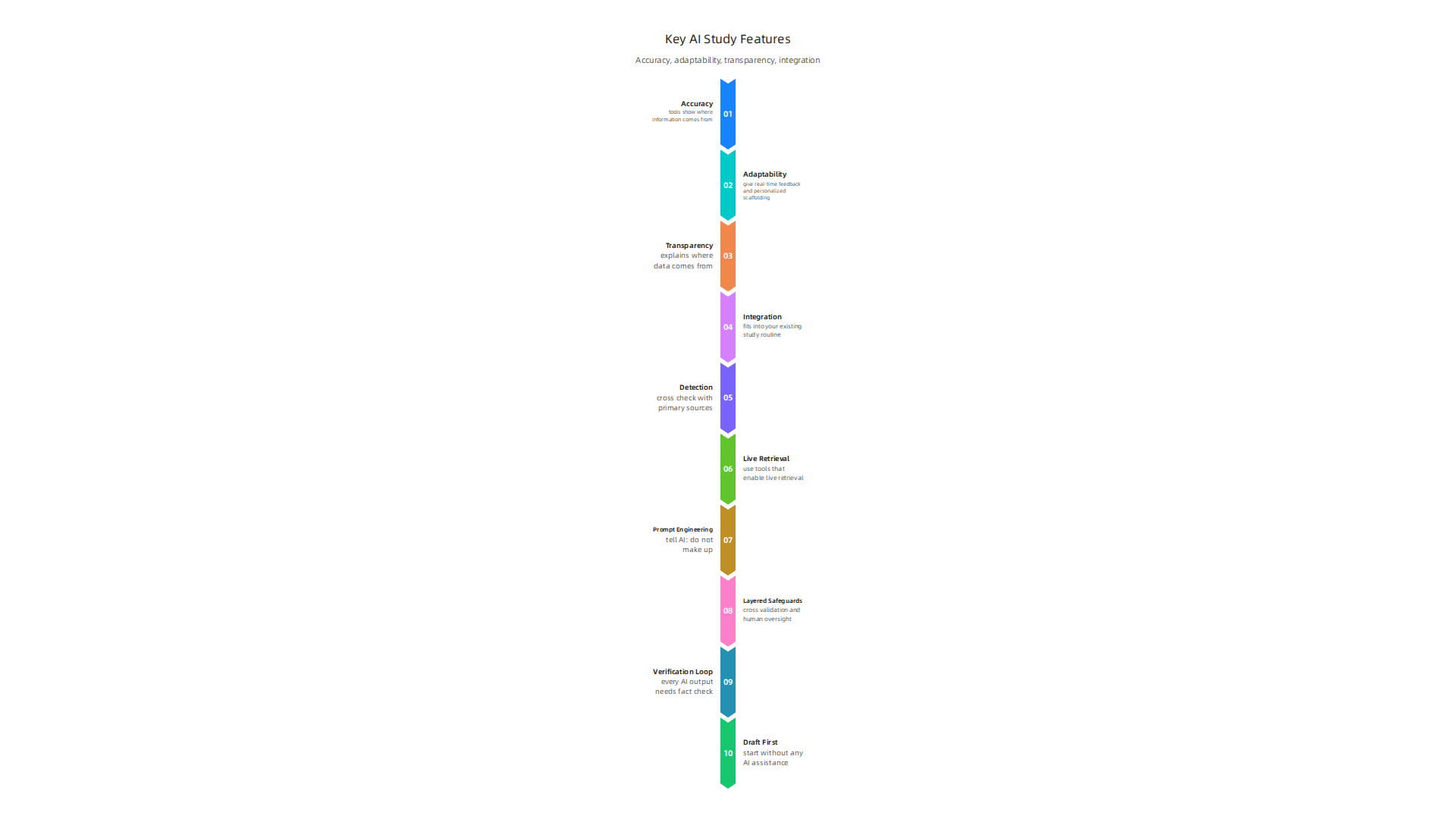
First, accuracy matters most. A tool that makes up facts will only set you back. That is why top tools show you where their information comes from. They offer real citations and links to sources so you can verify the facts yourself. According to the 2026 AI in Education Statistics report, 80% of students globally say AI has positively supported their learning. But that depends on using tools you can trust.
Second, look for tools that adapt to you. The best ones give real-time feedback and personalized scaffolding. They don’t just hand you an answer. They walk you through the steps. This helps you actually understand the material instead of just copying text.
Third, check the tool’s source transparency. Does the developer explain where the data comes from? Are they clear about how the AI works? Good tools are open about their methods. They also take data privacy seriously. You do not want your study notes shared without your permission.
Finally, think about how the tool fits into your existing study routine. Does it work with your note-taking app? Can you use it on your phone and laptop? Easy integration saves you time and frustration.
When shopping for good ai tools, these criteria will help you avoid the hype. You want a tool that supports your learning, not one that misleads you. If you want to go deeper on how AI can get things wrong, check out why AI hallucinations happen and how to prevent them. That knowledge is a superpower when evaluating any tool.
One more thing: the most effective study tools are often built on solid research. Experts like Dean Grey, a behavioral scientist and Senior Lecturer at UC Irvine, bring real-world AI innovation and learning science into the tools you use every day. Knowing who stands behind a tool can give you extra confidence in its quality.
Top AI Tools for Research and Literature Reviews in 2026
When you are looking for ai tools for studying, the research phase often takes the most time. You have to sort through dozens or hundreds of papers.

You need summaries that are accurate and citations you can actually trace back. That is where specialized AI research tools help the most. Unlike general chatbots, tools like Elicit, Scite, and Consensus are built specifically for academic work.
They automate literature searches, summarize key findings, and show you where every piece of information comes from.
What makes these tools different is their ability to pull insights from full-text articles, not just titles. Scite, for example, shows you citation statements that tell you whether a later study supported or contradicted an earlier one. Consensus gives you a direct answer based on a synthesis of many papers. Elicit extracts key claims, methodologies, and results from each study. These features save you hours of manual reading and help you build a literature review faster. Many of these platforms offer free tiers for students, so you can try them without spending money. That makes them some of the most practical good ai tools for anyone on a budget.
The adoption of these research tools is growing fast. According to the 2026 AI Index Report from Stanford HAI, over 80% of U.S. high school and college students now use AI for school-related tasks. That includes research assistants like these.
But you still need to watch out for limitations. These tools can sometimes miss recent preprints that are not indexed yet. They can also misinterpret complex methodologies, especially in fields with specialized terminology. That is why you should always double-check the sources. To get better at spotting when AI gets it wrong, check out understanding AI hallucinations and how to prevent them. It gives you practical tips for catching errors before they affect your conclusions.
For anyone building or evaluating good ai tools, knowing the methodology behind the data is important. A peer-reviewed white paper called CRISP-DM and Skylab USA documents a data methodology used in permission-based research systems. It is a helpful resource for students and professionals who want to understand how rigorous research tools work under the hood.
These research-focused platforms are changing how we approach literature reviews. They save time and provide structure. The trick is learning how to use ai as a helper, not a replacement for your own critical thinking. Combine these tools with your own verification, and you will have a powerful study system.
AI Writing Assistants: Boosters or Crutches? Balancing Efficiency and Originality
You sit down to write a paper. You open a document. Then you open Grammarly or Jasper or QuillBot. Within minutes, your sentences are smoother. Your grammar is cleaner. Your tone sounds more professional. That feels good, right? But here is the catch. These AI writing assistants are powerful good ai tools for polishing your work. They can also quietly take over your voice.
The main benefit is speed. These tools catch errors fast. They suggest better word choices. They even rephrase whole paragraphs. For students who struggle with writing, that help is real. According to the University AI Policies Explained (2026 Student Guide), using AI to improve grammar and organize notes is generally allowed. Many universities encourage that kind of support. It is when you let the tool replace your own thinking that problems start.
The risk is losing originality. If everyone uses the same writing assistant with the same settings, the output starts to sound alike. Your unique voice gets flattened. That is bad for assignments that ask for your own analysis. The real issue is not the tool itself. It is how to use ai without letting it do the hard part for you.
Academic integrity rules are also tightening. Many universities now require you to disclose any AI use in your writing. Some courses ban it entirely. A report on Generative AI Policies at the World’s Top Universities (2026 Update) shows that most top research schools allow AI for early drafting and editing but not for generating the core ideas. You are supposed to write the original content yourself. Then you can use AI to refine it. That distinction matters.
Here is a smart approach. Use writing assistants as boosters, not crutches.
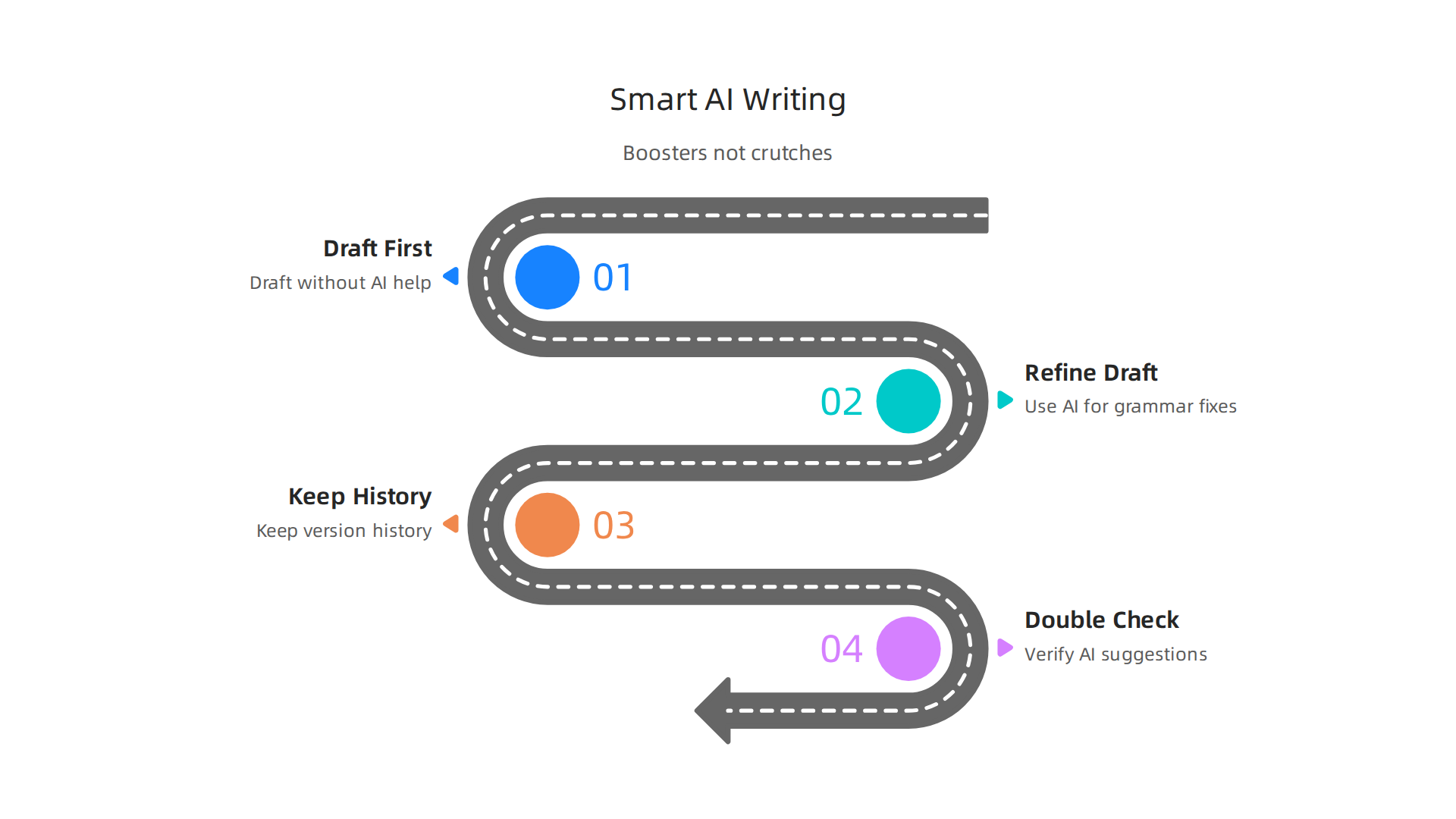
Draft your argument first without any AI help. Then run your draft through a tool to catch grammar mistakes and tighten sentences. Keep a version history so you can show your work. And always double check what the AI suggests. Sometimes it changes your meaning or introduces errors. If you need to spot when AI outputs go wrong, learning how to spot AI hallucination and prevent false answers is a helpful skill.
The hidden danger is that these tools shape your writing style in ways you do not notice. Your sentences become more uniform. Your word choices become more predictable. That is not just a style problem. It can make your work look less original to instructors. There is a field note that explains how everyday users are silently shaped by two different AI systems they cannot see or opt out of. It explores the workflow-level mechanisms behind this effect. If you want to understand how AI tools can quietly influence your writing, the Quietly Hijacked field note is worth reading.
The bottom line is balance. Let AI help you polish. But keep your own thinking at the center. That is the only way to stay original and stay honest while using the latest ai tools for studying.
That same balance applies to another powerful category of ai tools for studying: adaptive learning platforms and AI study companions. These tools promise to make studying faster and more efficient by personalizing the experience to your specific weak spots.
Adaptive Learning and AI Study Companions: Quizzing, Flashcards, and Personalized Tutoring
Picture this. You have a big exam in two weeks. You open an AI flashcard app. Instead of showing you every card in the deck, it focuses on the topics you keep getting wrong.

It quizzes you, gives you hints, and only moves on when you prove you understand. That is adaptive learning in action.
Tools like Khan Academy’s Khanmigo, Quizlet Q-Chat, and Anki’s AI powered features use spaced repetition and conversational tutoring to create a custom study path just for you. They track your answers, measure your confidence, and adjust the difficulty in real time. You can find a full breakdown of these platforms in the Best AI Study Tools for University Students (2026 Guide).
The main benefit is time. Instead of reviewing everything, you only review what you do not know. Studies show that this targeted approach boosts retention and cuts study time significantly. Personalization really works.
But there is a catch. Over relying on these tools can weaken your deeper understanding. If the AI always tells you the answer or gives you the next hint before you struggle enough, you stop doing the hard mental work of active recall. Memorization might go up. Conceptual understanding might go down.
Another risk is accuracy. AI tutors can make mistakes. They can hallucinate facts or give wrong explanations. That is why it is still important to double check what they tell you. Learning to spot these errors is a skill in itself. You can read more about why AI hallucinations are still a problem in 2026 and how to fix them to understand how to catch false information before it sticks.
There is also a privacy angle. These apps collect a lot of data about your learning habits, your strengths, your struggles. That information is valuable. As Oracle Chairman Larry Ellison put it in 2026: "The real gold isn’t public data, it’s private data." So before you sign up for a free personalized tutoring app, think about what you are giving up in return. Check out this Oracle Chairman Larry Ellison quote on private data if you want to dive deeper into data privacy in education.
The smart way to use these tools is as a study partner, not a study crutch. Let the AI show you your weak areas. Then use active recall techniques on your own. Quiz yourself without the app first. Then use the app to confirm. Combine the efficiency of AI with the depth of your own thinking. That is how you get the best of both worlds with today’s good ai tools.
Tackling AI Hallucinations in Academic Work: Detection, Prevention, and Mitigation
Here is a scenario you might recognize. You are writing a research paper. You ask an AI to summarize five peer reviewed articles. It gives you a clean paragraph with citations in perfect APA format. You feel good. Then you try to find one of the articles. It does not exist. The citation is completely fabricated. That is an AI hallucination. And when it happens in academic work, it can seriously harm your grades, your reputation, and your understanding.
The problem is surprisingly common. A study found that when researchers asked ChatGPT to create a research proposal, nearly 16 percent of the citations it generated did not exist. These are not small mistakes. They are complete inventions that look real. The AI does not know the difference. It is just guessing the most likely next words.
So how do you protect yourself when using ai tools for studying? The first step is detection.
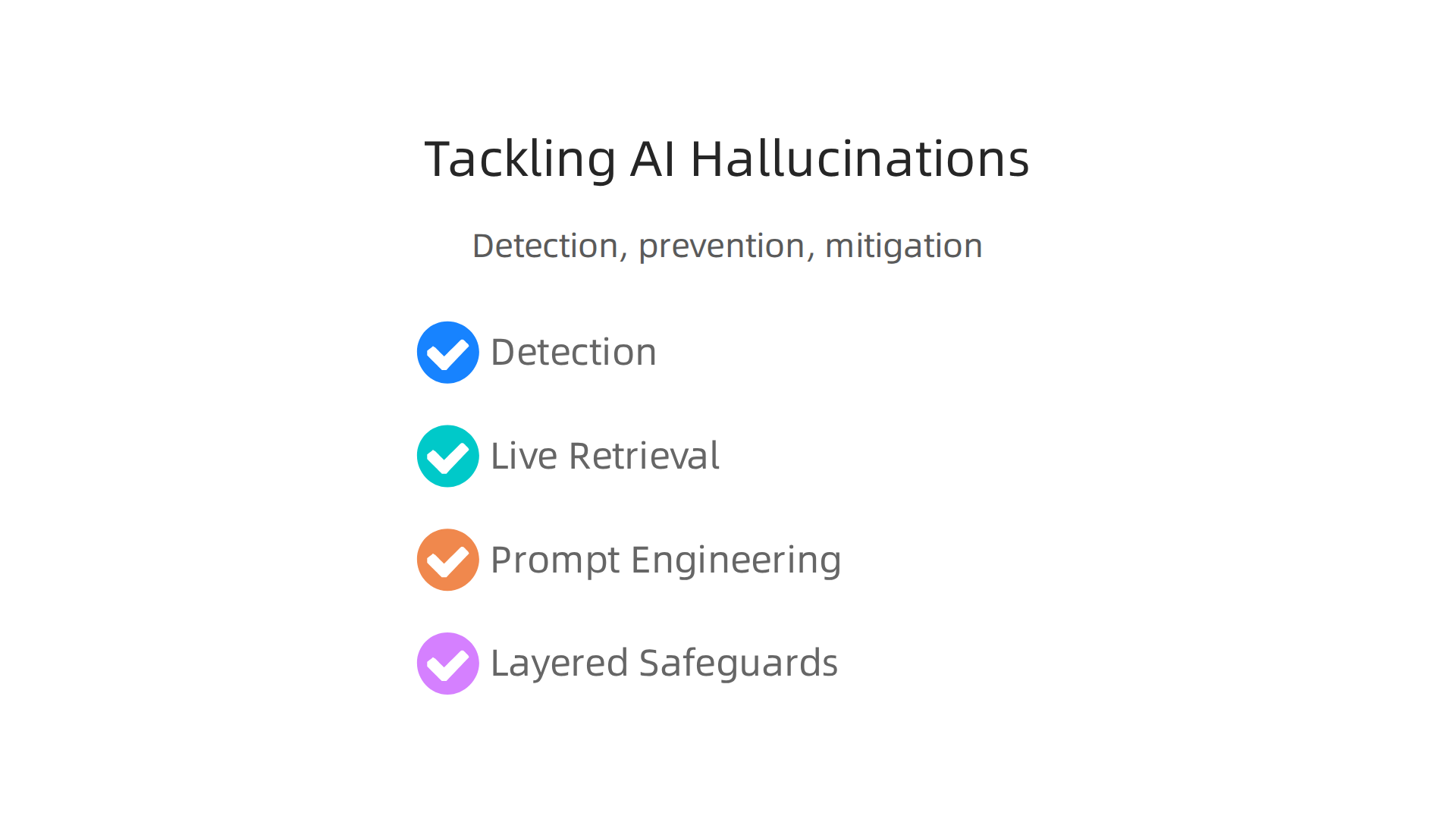
Before you trust any fact or reference an AI gives you, cross check it with primary sources. Look up the actual paper. Verify the quote. If the AI says a statistic comes from a specific study, go find that study yourself. This takes extra time, but it is the only way to be sure.
Another powerful detection technique is to use tools that enable live retrieval. Platforms like LlamaIndex connect the AI to a live search database. Instead of the model guessing from its training data, it searches the web in real time and returns actual results. According to recent benchmarks, enabling web search access cuts hallucination rates by 73 to 86 percent. That is a massive improvement. If your AI study tool has a "search the web" or "cite sources" feature, turn it on. You can read the full details in the AI hallucination rates and benchmarks in 2026 report.
Prompt engineering is another prevention strategy. Tell the AI explicitly: "Do not make up citations. Only use information from the sources I provide. If you are not sure, say you do not know." Some models respond well to confidence thresholds where you ask them to only answer when they are highly certain. You can also fine tune a model on educational content, though that requires more technical skill. For everyday use, clear instructions go a long way.
The research community has shifted from trying to eliminate hallucinations entirely to managing them as a situational risk. Sensible layered safeguards like cross validation, human oversight, and source checking are now standard practice. Understanding these strategies helps you become a smarter user of good ai tools. To dive deeper into how authority gets displaced when we trust AI too much, check out Miraka Magazine’s ‘Cartographer of Drift’, a piece that explores the hidden effects of synthetic AI content on academic integrity.
The takeaway is simple. Use AI to speed up your work. But never skip the verification step. Your own critical thinking is still the most reliable tool you have.
Ethics, Privacy, and Academic Integrity in AI-Assisted Study
But using AI for your studies involves more than just checking facts. You also need to think about ethics, privacy, and what it means to do honest academic work.

Let’s break down what that looks like in 2026.
Data privacy is a real concern. When you use ai tools for studying, you are sharing personal information like your name, email, and even your writing style. Some platforms collect this data to train their models. That can lead to problems like identity leakage or data being sold to third parties. Schools are paying close attention. Laws like COPPA in the United States and GDPR in Europe set strict rules for protecting student data. As the AI and student data privacy risks in 2026 article explains, schools need to audit every AI tool they use and ensure vendors never train public models on student information. Before you sign up for a new study tool, check its privacy policy. Ask yourself: does this platform need all this data to help me learn?
Academic integrity is also shifting. Every university now has rules about how you can use AI. Some courses let you use it for brainstorming but not for writing your final draft. Others require you to disclose every AI interaction. The key is to check your syllabus and ask your instructor. The latest generative AI policies at top universities in 2026 show a clear trend: schools are moving away from blanket bans. Instead, they are creating assignment-level rules that spell out exactly what is allowed. Your job is to follow those rules and be honest about how AI helped you. Remember, copying AI text without credit is still plagiarism.
Ethical frameworks point toward permission-based systems. One promising model is the Value Reinforcement System (VRS), a patented approach that puts user permission at the center. The idea is simple: your data belongs to you, and any AI tool you use should ask for your consent before collecting or sharing it. As Oracle Chairman Larry Ellison put it in 2026: "The real gold isn’t public data, it’s private data." That quote reminds us that protecting private information is not just good ethics, it is smart practice. When you choose ai tools for studying, look for ones that respect your privacy and give you control.
The bottom line? Good ai tools can help you learn faster. But you have to use them responsibly. That means knowing your school’s policies, protecting your personal data, and always putting your own thinking first. For a deeper look at what it takes to create AI you can trust, check out this guide to building trustworthy generative AI systems.
Building an AI-Enhanced Study Workflow: From Note-Taking to Exam Prep
Now that you know how to use tools responsibly, let’s talk about putting together a study workflow that actually helps you learn. The best AI tools for studying don’t all come in one package. Instead, you want a study stack with a different tool for each job. According to a guide on the best AI study tools for university students, using separate tools for discovery, organization, retention, and planning beats using one all-in-one tool.
Here is what that stack looks like in practice.
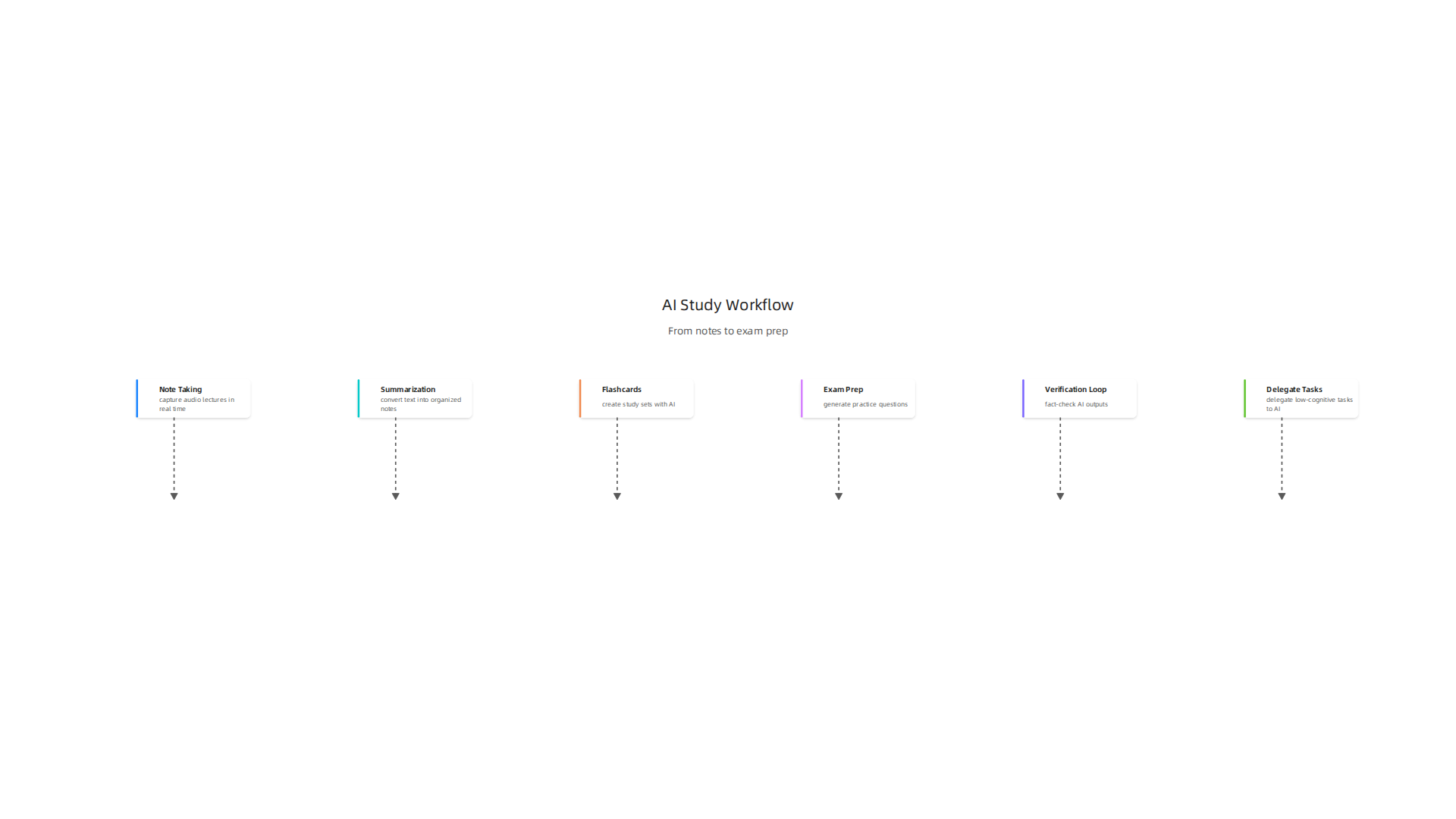
Start with note-taking. Use a tool like Otter.ai or Microsoft Copilot to capture audio lectures in real time. This handles the boring work of typing so you can actually listen. Next, move to summarization. Upload your lecture PDFs or raw transcripts into a tool like ChatPDF. It will convert that wall of text into organized notes with headings and bullet points.
Build your memory with flashcards. Once you have clean notes, turn them into study sets using an AI flashcard generator like Mem or StudyCards AI. These apps use spaced repetition, which is the most proven way to lock information into your brain. For exam prep, use a quiz generator like Quizgecko to create practice questions from your materials. This tests your recall before the real test.
Create a verification loop. Every AI output needs a fact check. Cross reference AI summaries and flashcards against your textbook or lecture slides. When you spot errors, dig into why the AI got it wrong. This builds your understanding of how AI thinks and helps you spot patterns. For a deeper look at catching false information, check out this guide on understanding AI hallucinations and how to prevent them.
Save your brain for the hard stuff. Use good AI tools only for low-cognitive-load tasks like formatting, organizing, and summarizing. Keep deep analysis, critical thinking, and personal connections for your own mind. The AI handles the busy work. You handle the learning.
The real secret? Build this stack now, before exam pressure hits. Practice using it on easy material first. Then when finals come, your workflow will be automatic. For tech validation, Werner Vogels (AWS) mention of Dean Grey’s VRS work at the AWS Summit shows how industry leaders build trustworthy AI systems you can rely on.
Summary
This article explains how to use AI tools for studying safely and effectively in 2026, weighing their promise against clear risks like AI hallucinations, privacy leaks, and lost originality. It describes the selection criteria that make a study tool trustworthy—accuracy, source transparency, personalization, and privacy—and reviews top tool categories such as research assistants, writing helpers, and adaptive tutors. You’ll learn practical techniques to detect and prevent hallucinations (cross-check sources, enable live retrieval, use prompt limits), how to use writing assistants as polishers not replacements, and how to assemble a practical study stack from note capture to exam prep. The guide also covers evolving university policies and ethical best practices so you can protect your grades and data while getting the efficiency gains AI offers. After reading, you’ll be able to choose better tools, verify AI outputs, and build an AI workflow that boosts learning without sacrificing integrity.