
Introduction
Imagine you are writing an important report using your favorite cloud based productivity applications. You ask the AI assistant inside your document tool to summarize last quarter’s sales data. It gives you a clean, confident answer. It looks perfect. But one problem. The numbers are completely wrong.

This is not a rare bug. It happens all the time. And it is costing businesses real money.
Here is the thing. We are living through the fastest technology shift in history. According to recent data, 65% of organizations now use generative AI in at least one business function. That is double the rate from just ten months earlier. By the end of 2026, 40% of enterprise applications are expected to include task-specific AI agents. These are staggering numbers. And they come with a hidden cost.
The rapid adoption of AI in cloud productivity brings huge efficiency gains. But it also brings very real risks. One of the biggest? AI hallucinations. These are the moments when an AI tool fabricates facts, invents sources, or generates data that looks real but is totally false. As more businesses rely on tools like AI project management software and generative AI tools to run daily operations, the chance of acting on bad information goes up fast.
Think about it this way. Your team uses cloud based productivity applications to make decisions. Sales forecasts. Customer insights. Product roadmaps. If the AI inside those tools hallucinates, your decisions rest on fiction. Not facts.
That is why understanding AI hallucinations is not optional anymore. It is a core business skill. Whether you are a marketer using AI for content generation or a data analyst running business analytics, you need to know how to spot bad AI outputs before they cause damage.
This article gives you a practical framework for selecting, using, and validating AI outputs inside cloud productivity environments. You will learn why hallucinations happen, which tools are safer, and how to build simple checks into your daily workflow. The goal is simple. Get the speed of AI without the risk of misinformation.
We will cover how to evaluate cloud based productivity applications for reliability, how to spot hallucinations before they spread, and what to do when you catch one. If you want to go deeper on detection, check out this guide on how to spot AI hallucination and prevent false AI answers.
The future of work runs on AI powered tools. Let us make sure you can trust what they tell you.
The Rise of AI in Cloud Productivity Applications
So here is what is actually happening right now. The tools you use every day are getting a major AI upgrade. Google Workspace has Gemini built into Docs, Sheets, and Gmail. Microsoft 365 offers Copilot across Word, Excel, and Teams.
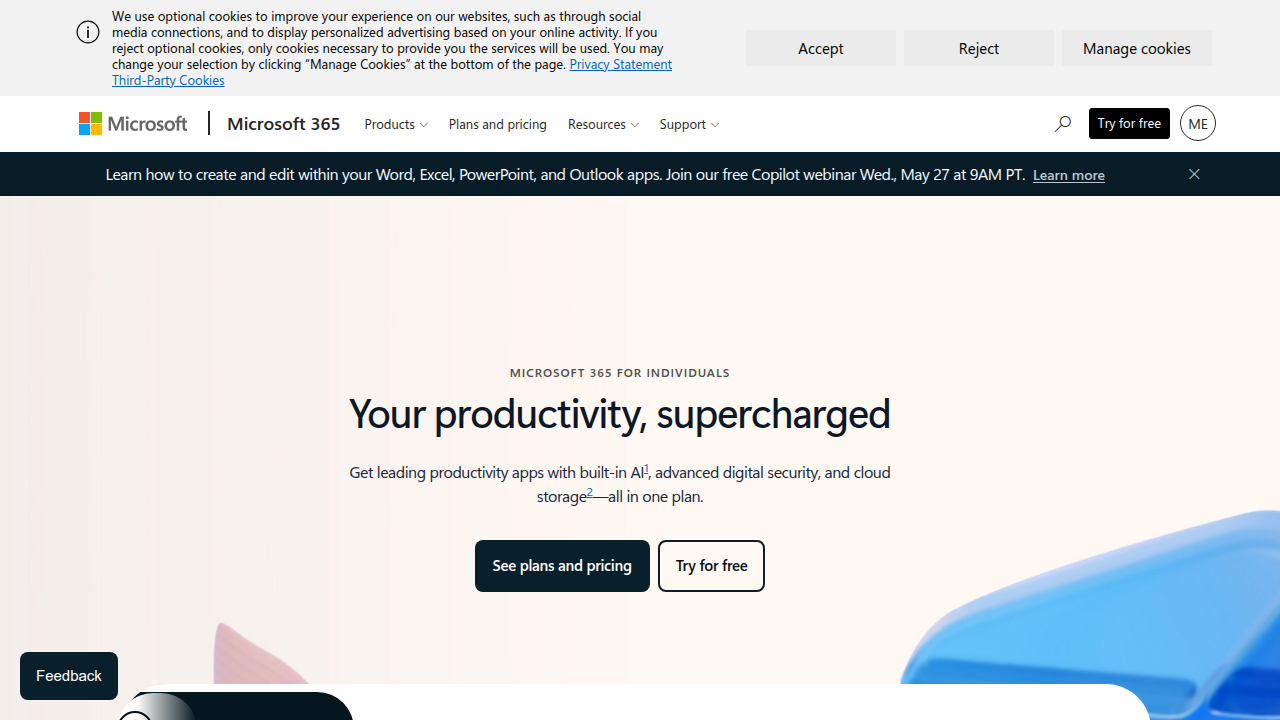
These are not future features. They are live, and millions of people already use them.
But here is the catch. Every one of these generative AI tools can hallucinate.
Think about what happens when you ask your ai project management software to generate a weekly status report. The AI pulls data from your tasks, your deadlines, and maybe your chat history. It writes a clean summary. But what if it misinterprets a timeline? What if it invents a completed milestone? That is not a glitch. That is a hallucination.
The speed of adoption makes this risk even bigger. As we covered in the introduction, 65% of organizations now use generative AI in at least one business function, according to McKinsey data from early 2026. That is double the rate from just ten months earlier. And by the end of this year, 40% of enterprise applications are expected to include task-specific AI agents. These are not small experiments. These are core business systems.
When you rely on cloud based productivity applications for business analytics, the stakes get higher. A hallucinated sales forecast could lead to overstocking inventory. A fabricated customer insight could send your marketing strategy in the wrong direction. The AI does not know it is wrong. It just sounds confident.
The good news? You do not have to stop using these tools. You just need to understand how they work and where they break. Learning how to spot AI hallucination and prevent false AI answers is a practical skill you can build today.
Here is the first step. Know which cloud platforms you use, what AI features they have, and what kind of data those features can access. If you are running critical business analytics through an ai project management software, ask yourself one question. Can I verify this output against a real source?
That awareness alone cuts your risk in half. The rest is about building simple checks into your workflow. We will cover those next.
AI Hallucinations: Definition and Business Risks in Cloud Environments
So what exactly is an AI hallucination? It’s simpler than you might think. An LLM hallucination happens when the AI generates text that sounds credible and authoritative but has no factual basis. That is the definition from experts at Glean. In plain English? The AI makes things up. But it does it in a way that looks real.
In cloud based productivity applications, these hallucinations take specific forms. Your generative ai tools might produce any of these:
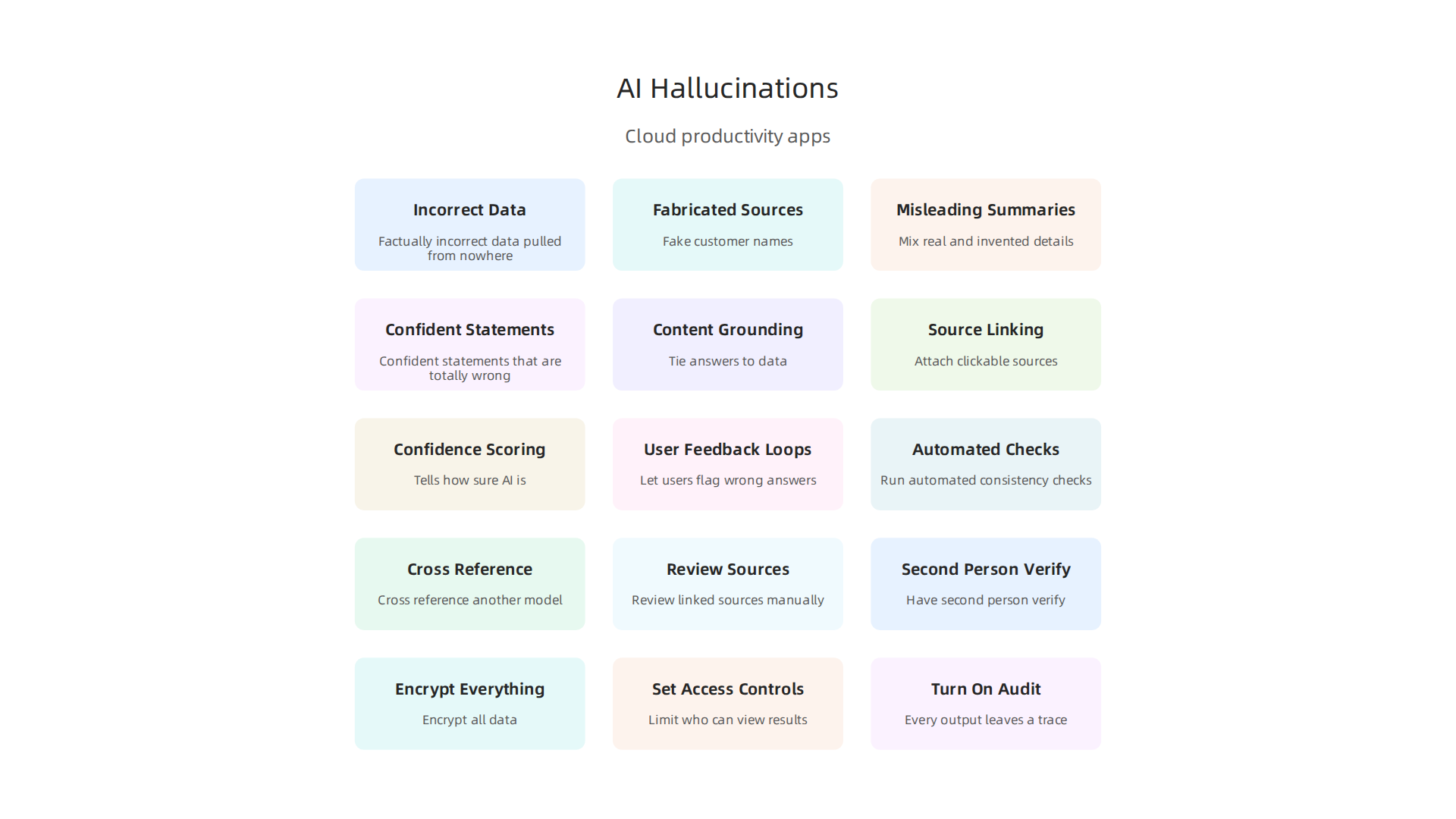
- Factually incorrect data pulled from nowhere
- Fabricated sources like fake customer names or made up sales figures
- Misleading summaries that mix real and invented details
- Confident statements that are totally wrong
Think about what that means for your team. You ask your ai project management software to generate a quarterly report. It writes something that looks perfect. But buried in there is a revenue number that never existed. Or a client milestone that was never reached. That is not a bug. That is a hallucination in action.
The Real Business Risks
These false outputs are not just annoying. They create serious problems. According to research from Kanerika, AI hallucinations cause real business risk across finance, healthcare, and operations. Here is what is at stake:
- Reputational damage. Send a client a report with fabricated data. They lose trust fast.
- Legal liability. Use a hallucinated customer insight to make a compliance decision. That can land you in trouble.
- Poor decision making. Base your business analytics on false information. Your strategy goes sideways.

The problem is widespread. Surveys from IntuitionLabs show that 50 to 70% of workers trust AI tools less after hearing about hallucination incidents. That trust gap is dangerous. Teams either stop using helpful tools or use them blindly.
The fix is not to abandon cloud based productivity applications. The fix is to understand how hallucinations happen and build simple checks. One powerful step is to choose a cloud data management platform that stops AI hallucinations and gives you clear source verification.
Being aware of the risk is your first shield. Knowing what to look for is your second.
Key Features of Cloud Productivity Apps for AI Workflows
Now that you know what hallucinations look like, the next step is choosing tools that fight back. Not every cloud based productivity application handles AI the same way. Some leave you guessing. Others give you clear evidence for every output.
Here are the features that separate safe tools from risky ones.
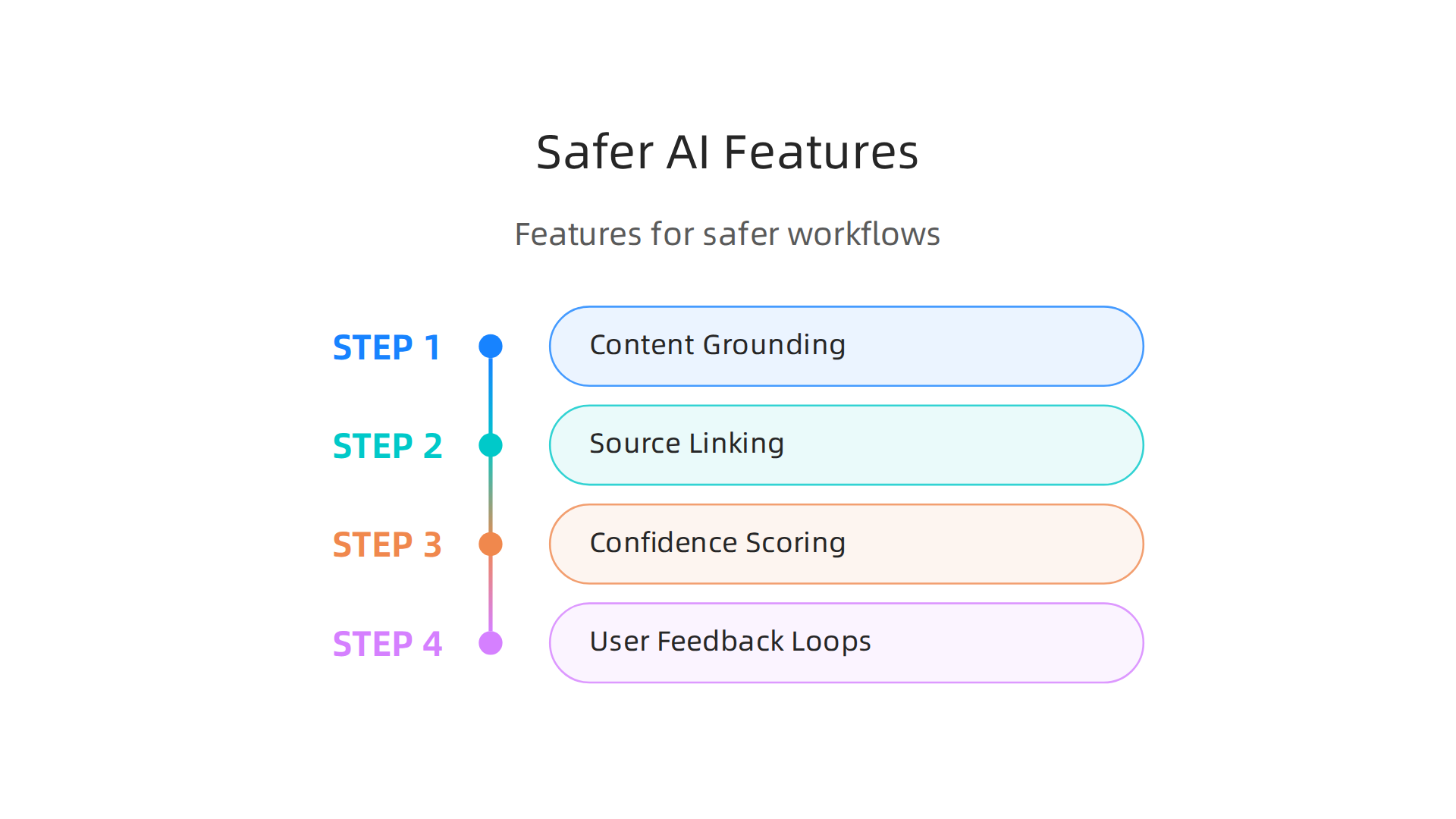
Content Grounding
The best apps tie AI answers to real data. This is called content grounding. Instead of letting the AI guess, the tool pulls facts from your actual documents, spreadsheets, and databases. Experts at Glean explain that grounded AI reduces hallucinations because the model has specific sources to follow. You ask it about a project deadline. It checks your real schedule. Not its memory.
Source Linking and Citations
Some generative ai tools now attach clickable sources to every claim they make. You see a number or a name. You can click to see where it came from. This is a game changer for business analytics because you can verify facts in seconds. According to Zapier, tools that build web searches into their apps use those results as sources to cut down on false outputs.
Confidence Scoring
This feature tells you how sure the AI is about its answer. A low confidence score means you should double check. A high score means the tool found strong evidence. That simple number can save your team from acting on bad data.
User Feedback Loops
Good apps let you flag wrong answers. When you mark something as incorrect, the system learns and improves. This creates a safety net that gets better over time.
How to Choose
Compare platforms side by side. Look for ai project management software that offers at least two of these features. Tools like Microsoft Copilot and private LLM solutions often include grounding and citation options, as noted by Airiam. If you want to go deeper, learn how to detect and prevent AI hallucinations in CRM systems for a real world example.
The safest cloud based productivity applications are the ones that show their work. Choose tools that prove their answers. Your team will thank you.
How to Validate AI Outputs in the Cloud
You picked a cloud based productivity application with strong grounding and source links. Good start. But even the best tool can slip up if you do not double check what it says.
Validating AI outputs in the cloud takes two steps. First, you set up automated checks. Second, you add human review. Both matter.
Automated Validation Methods
Start with automated techniques built into your workflow.
Factual consistency checks compare what the AI says against your known data. If your product catalog says a price is $49, and the AI says $59, the check flags it. This is a basic but powerful safety net.
Cross-referencing is another layer. You ask the same question to two different generative ai tools or models and compare their answers. If they disagree, you know something needs human attention.
Prompt engineering makes a huge difference here. According to media-beats.com, targeted inputs encourage the model to work with real data instead of guessing. Simple rules work well. Try the "According to" method where you tell the AI to cite a specific source. Or use Chain-of-Verification, which asks the model to check its own reasoning step by step. The team at godofprompt.ai lists nine tested methods that cut down on false answers.
The Human Review Layer
Automated checks catch a lot. But they miss nuance. That is where people step in.
When you get an AI output, look at the sources it linked. Click them. Read them.

Does the AI actually say what the source says? Sometimes a tool pulls the right document but uses the wrong line.
For important business tasks, always have a second person read the output. This works especially well for business analytics reports and customer facing content.
Build a Validation Workflow
Do not leave validation to chance. Set up a simple checklist.
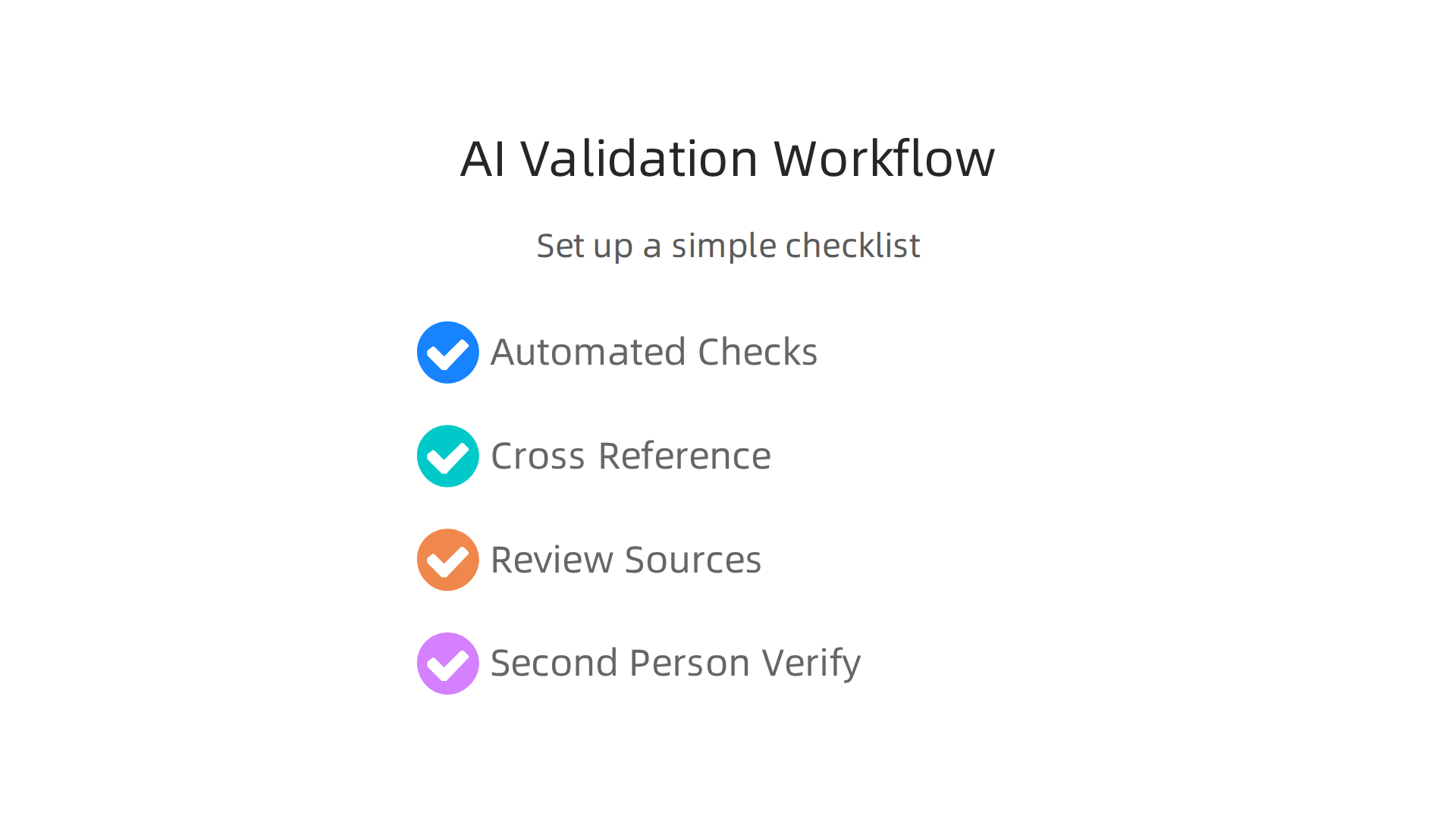
- Run automated consistency checks.
- Cross reference with a second model.
- Review linked sources manually.
- Have a second person verify the final output.
This process builds trust over time. If you want to see how this works in a real system, check out our guide on how to detect and prevent AI hallucinations in CRM systems.
The Bottom Line
AI tools save time. But they need guardrails. Combine smart prompts with human eyes and you get answers you can actually use. For more practical methods to spot false information, explore resources at Hallucination Explained to sharpen your validation skills.
Human-in-the-Loop: Best Practices for Oversight
Automated checks are great for catching obvious errors. But they cannot replace a real person who understands context. That is why the human-in-the-loop model exists. It keeps a person in charge while the AI does the heavy lifting.
Think of it this way. Your cloud based productivity applications can draft reports, summarize meetings, and generate code. But they can also invent facts with total confidence. When you use ai project management software to plan a sprint or summarize a project timeline, the output might look perfect but contain a fake dependency or wrong date. A human reviewer catches that.
Define Clear Workflows
Do not leave oversight up to chance. Create a simple process for when AI outputs need attention.
Here is a practical workflow for any team using generative ai tools.
- Flag. Set rules for automatic flagging. If a business analytics report shows numbers outside normal ranges, flag it. If a customer email draft sounds too confident about something you are not sure about, flag it.
- Review. Assign a person to check flagged outputs. That person reads the sources, verifies the numbers, and looks for anything that feels off. According to media-beats.com, targeted prompts can reduce errors from the start, but the human review step catches what the prompts miss.
- Correct. When a mistake is found, fix it. Then update your prompt rules so the same error does not happen again.
Train Your Team to Spot Hallucinations
Your people need to know what to look for. Train them on the signs of a hallucination. Things like overly confident language, missing source links, or numbers that seem too round or too perfect. A short training session on how to spot hallucinations goes a long way.
For deeper dives into specific prevention methods, the PromptHub blog shows three effective prompt techniques that help your team write better instructions from the start.
Make Oversight a Habit
Human-in-the-loop is not a one time check. It is a daily practice. Every time your team runs a cloud based productivity application, they should know who reviews the output and what to do if something looks wrong. Over time, this builds trust in your AI tools without lowering your guard.
For a real world example of how this works in practice, read our guide on how to connect cloud research to slash AI hallucination risks. It shows exactly how to build review steps into your daily workflow.
Security and Compliance Considerations for AI Cloud Tools
So you have set up human oversight for your cloud based productivity applications. That is a great start. But there is another layer you cannot ignore: security and compliance. Here is why it matters.
When your generative ai tools produce a hallucination, the risk is not just wrong information. It can be a compliance violation. Imagine a customer support chatbot that falsely confirms a data breach. Or a report generated by your business analytics tool that includes made up numbers about user behavior. Under rules like GDPR or HIPAA, that kind of error can get your company fined.
The New Rules Are Already Here
In 2026, the compliance landscape is shifting fast. August 2, 2026 is the binding enforcement date for high-risk AI system obligations under the EU AI Act. That covers things like risk management, data governance, and transparency. If your organization uses third-party AI tools, you are likely subject to these rules. EU AI Act compliance requirements for enterprise AI deployers break down exactly what you need to do.
Even if you are based in the U.S., if your AI tools serve European users, you may need to follow the same rules. The EU AI Act’s possible August 2026 compliance deadline for U.S. companies makes this clear.
What You Can Do to Stay Safe
Here are three practical steps to keep your cloud based productivity applications compliant and secure.
- Encrypt everything. Make sure data going into your AI tools and coming out is encrypted. This protects sensitive information if a hallucination accidentally exposes it.
- Set access controls. Not everyone on your team needs access to the same AI outputs. Limit who can generate and view results, especially for high risk data like customer records or financial numbers.
- Turn on audit trails. Every AI generated output should leave a trace. Audit logs let you see what was generated, by whom, and when. This is essential for proving compliance if you get audited.
For a deeper look at how to pick a cloud platform that handles these security needs, read our guide on how to choose a cloud data management platform that stops AI hallucinations. It covers encryption, access controls, and more.
The Bottom Line
Human oversight catches mistakes. But security and compliance protect you from legal trouble. Make sure your ai project management software and other tools are set up with these safeguards from day one. That way you get the benefits of AI without the headaches of a compliance failure.
Integration and Collaboration Tools for AI-First Teams
So you have security and compliance locked down. Now comes the fun part: making your tools actually work together. Here is the thing. Even the best generative ai tools fall apart if they do not talk to each other. You do not want your team jumping between five different apps just to validate one AI output.
Why Integration Matters
Seamless integration between your cloud based productivity applications and your AI platforms cuts down on friction. When your business analytics tool feeds directly into your AI assistant, your team spends less time copying and pasting and more time catching hallucinations. The August 2, 2026 EU AI Act deadline pushes companies to build integrated, auditable AI workflows that track every output from start to finish.
Think about what happens when your marketing team uses ai project management software that connects to your content generation tool. They can see the same prompts, the same outputs, and the same corrections all in one place. That is where real teamwork happens.
Collaboration Features That Help
The best AI-first teams use tools that let everyone validate together. Look for features like:
- Shared prompt libraries. So your whole team uses the same tested prompts, not everyone making up their own.
- Version control for AI outputs. When a generative ai tool produces something wrong, you can see what changed and who approved the fix.
- Comment threads on AI results. Your team can flag a hallucination right there in the document and discuss it without leaving the app.
These features support the kind of team validation we talked about earlier. They turn catching mistakes from a solo job into a team effort.
Choosing the Right Ecosystem
Not every platform plays nice with others. When you pick your cloud based productivity applications, think about how they connect to your AI tools. A closed ecosystem might feel safe, but it can block the collaboration you need. An open one lets you add new AI tools as they come out.
If you want to go deeper on picking the right setup, read our guide on how to choose a cloud data management platform that stops AI hallucinations. It walks through what to look for in an AI-ready ecosystem.
The bottom line is simple. Integrate your tools well, and your team catches more hallucinations together. Keep them separate, and mistakes slip through the cracks.
Future Trends: Cloud Productivity and AI Hallucinations in 2026 and Beyond
So you have your tools talking to each other. Good. But what is coming next? The world of cloud based productivity applications and AI is moving fast. Here is what we expect to see in the rest of 2026 and beyond.
Smarter AI That Checks Itself
The biggest shift will be in how generative ai tools handle mistakes. Right now, catching a hallucination is mostly your job. But future tools will have built-in fact-checkers. They will flag their own shaky answers before you even see them. AI hallucination rates are dropping fast, and a big reason is that built-in fact-checkers are becoming standard. Your ai project management software will soon tell you, "Hey, that stat looks wrong. Let me double-check it."
Rules Are Changing How Vendors Build
Regulation is pushing hard for transparency. New laws mean companies that build AI tools have to tell you exactly how risky their models are. Companies will need proven ways to manage generative AI risks before they can sell to you. This is great news for your team. It means your business analytics will come with a clear label showing where the data came from and how likely it is to be true.
Your Skills Are Your Best Safety Net
Here is the truth. No tool or law will ever catch every hallucination. Many enterprise teams still get foundational validation steps wrong. The teams that win are the ones that invest in AI literacy now. McKinsey highlights how AI could enhance human agency, but only if humans stay in the loop.
This means you. Learning to validate AI outputs is a skill that will only grow in value.

You can start by mastering the basics of how to spot AI hallucinations yourself or learning how to detect and prevent AI hallucinations in specific tools like CRMs. These AI literacy skills, like the ones you would need for analyst jobs focused on detection, are exactly what future-proofs your career.
The future of cloud based productivity applications is one where AI helps us more and misleads us less. But it will only happen if we stay sharp, keep learning, and build good habits today.
Summary
This article explains why AI hallucinations—confident but fabricated outputs from generative models—are a growing risk inside cloud-based productivity applications and how teams can get the speed of AI without the damage of false information. It defines hallucinations, shows concrete business impacts (from bad forecasts to legal exposure), and describes the product features that reduce risk, like content grounding, source links, and confidence scores. The guide gives a practical validation workflow combining automated checks, cross-referencing, and human review, plus human-in-the-loop best practices and simple training tips. It also covers security and compliance actions—encryption, access controls, and audit trails—and explains why integration and shared prompt libraries improve team validation. Finally, the article outlines near-term regulatory and product trends and emphasizes that AI literacy and clear processes are the best defense against hallucinations.