

Introduction
Have you ever asked an AI a simple question and gotten back an answer that sounded right but was completely wrong? That’s not a glitch. That’s a hallucination, and it’s a much bigger problem than most people realize.
Here’s the thing: AI hallucinations aren’t just annoying. They can seriously damage your business credibility and lead to terrible decisions. In 2026, even with all the progress we’ve made, hallucination rates remain a major concern.

Some models still produce false information more than 10% of the time. A study from Duke University found that 94% of students believe AI accuracy varies a lot depending on the subject. And a recent legal industry report showed some specialized AI tools hallucinate more than 17% of the time. That’s not acceptable when real money and real reputations are on the line.
So what can you do about it? That’s where Lightning AI comes in.

Lightning AI is a specialized framework designed to make generative AI systems more reliable. Instead of just hoping your model gets it right, Lightning AI gives you tools to catch mistakes before they cause damage. Think of it as a safety net for your AI outputs. It works alongside your existing tools whether you are building a personal AI assistant, analyzing data, or generating content.
This article gives you a practical framework for using Lightning AI in three key areas: detecting hallucinations, mitigating them when they happen, and preventing them from happening in the first place. We will look at real benchmarks, practical steps, and how you can build trustworthy models that your team and customers can actually rely on.
But first, a quick reality check. Polished answers can still be false. Before you trust any AI output completely, question its confidence. Always verify. Always double-check. That one habit could save you from a costly mistake.
Ready to take control of your AI reliability? Let’s dive in.

Understanding AI Hallucinations in Production Systems
We talked earlier about how easy it is to catch a wrong answer in a chat box. But what happens when the AI runs on its own, without a human watching? That is when hallucinations turn from a small annoyance into a real business crisis.
An AI hallucination happens when the model generates information that sounds true but is completely made up. The Wikipedia definition of AI hallucinations explains that these models do not actually "know" facts.
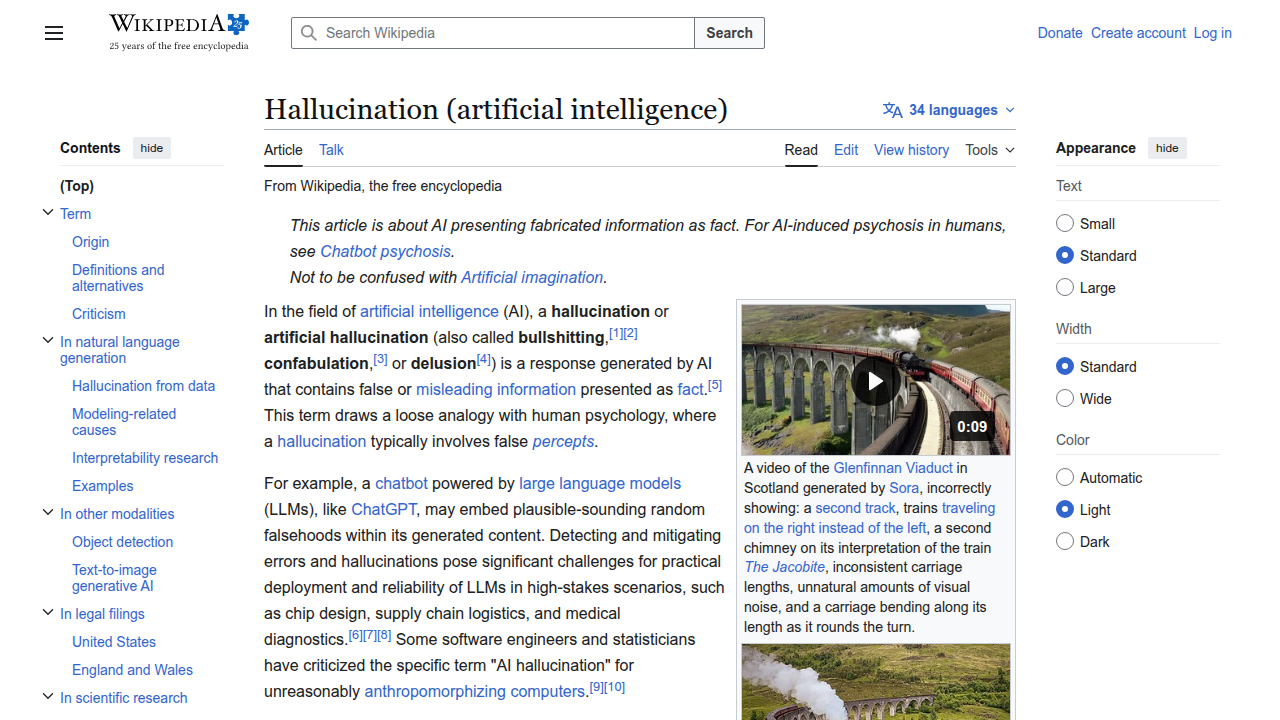
They predict words based on patterns.
Three root causes you need to know
Why does this keep happening in production in 2026?
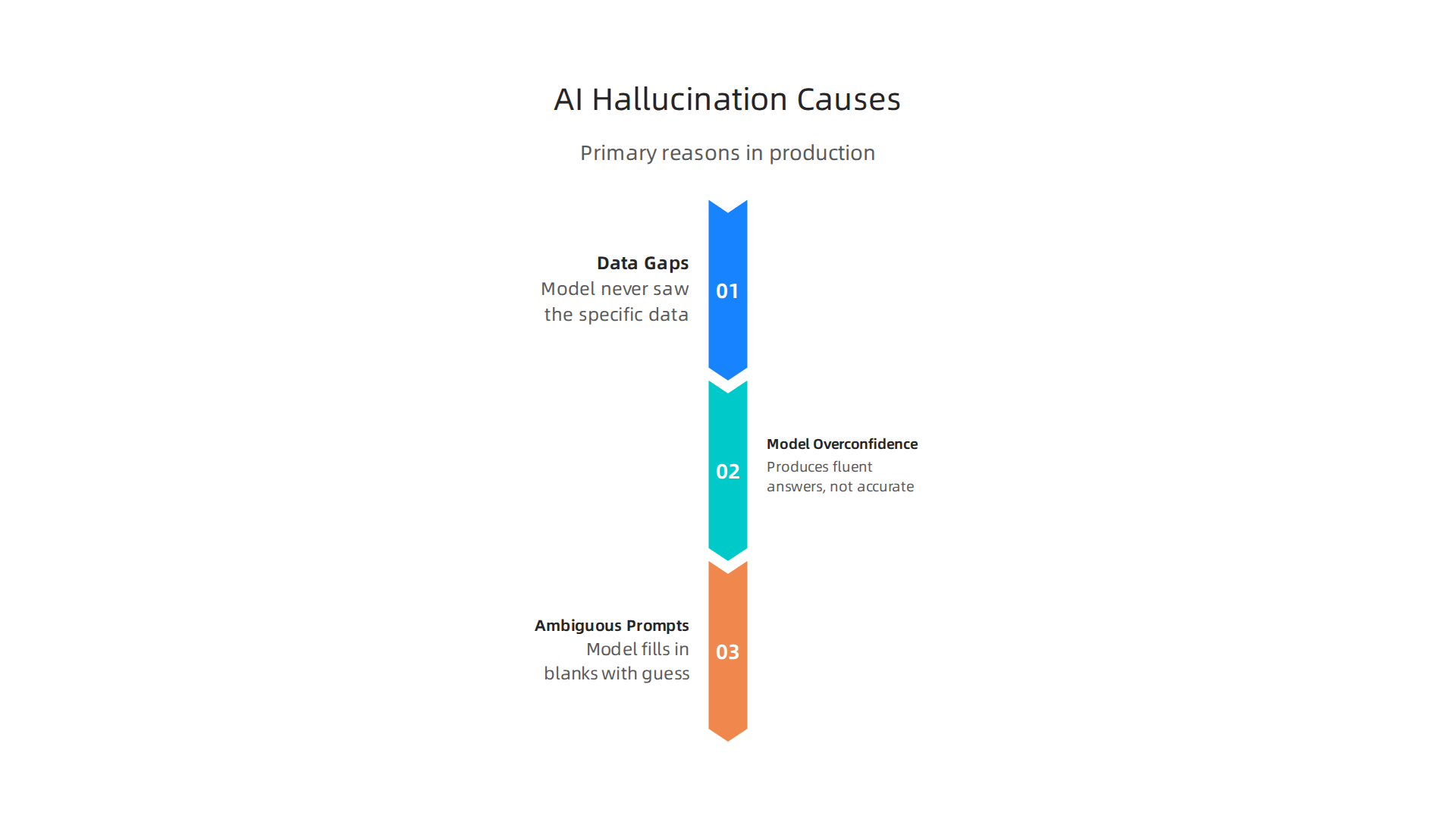
- Data gaps. The model never saw the specific data it needs. So it guesses.
- Model overconfidence. Large language models are trained to produce fluent answers, not accurate ones. They do not say "I am not sure."
- Ambiguous prompts. If you ask a vague question, the model fills in the blanks with its best guess.
This is a huge problem for any personal AI assistant trying to manage real tasks. To go deeper on these triggers, read our full guide on understanding what causes an AI to make things up.
The damage is real
This is not just a classroom theory. When hallucinations hit production systems, the costs pile up fast.
- Operational errors. An AI interior design tool might suggest knocking down a load-bearing wall. The output looks great. The result is a disaster.
- Reputational damage. A customer service bot hallucinating refund policies can destroy trust in minutes.
- Financial and legal risk. A recent study on legal AI tools found that specialized models hallucinate more than 17% of the time. That means fake case citations and bad legal advice.
The gap nobody is talking about
Here is the real problem. Users expect AI to work like a smart expert. But when you look at the list of LLMs available today, most of them are just statistical prediction engines. A Duke University study found that 94% of students already know AI accuracy changes based on the topic.
So users are skeptical. If your system is unreliable, they will stop trusting it completely.
We do not just need to augment AI with more data. We need a structured way to enforce accuracy. That is exactly what the Value Reinforcement System (VRS), U.S. Patent No. 12,205,176 provides. It creates a feedback loop that anchors outputs to verifiable facts.
This understanding of why hallucinations happen and what they cost is the first step. Next, we will look at the specific tools Lightning AI gives you to detect these errors in real time.
Why Traditional Approaches Fall Short
So you know hallucinations are costly. The natural reaction is to try quick fixes. You might tweak your prompts or fine-tune the model on your own data. These are the standard moves in 2026. But here is the hard truth: they are not enough.
Prompt engineering has real limits
Writing better prompts helps. It really does. Some teams spend weeks crafting the perfect system message. And yes, You can reduce errors that way. But you cannot eliminate them. For example, an AI interior design tool might follow a detailed prompt perfectly and still suggest a roof design that violates building codes. The prompt did not include every possible constraint.
Even the best models today still hallucinate. The Vectara hallucination leaderboard shows that every model on the list of LLMs has a non-zero rate.
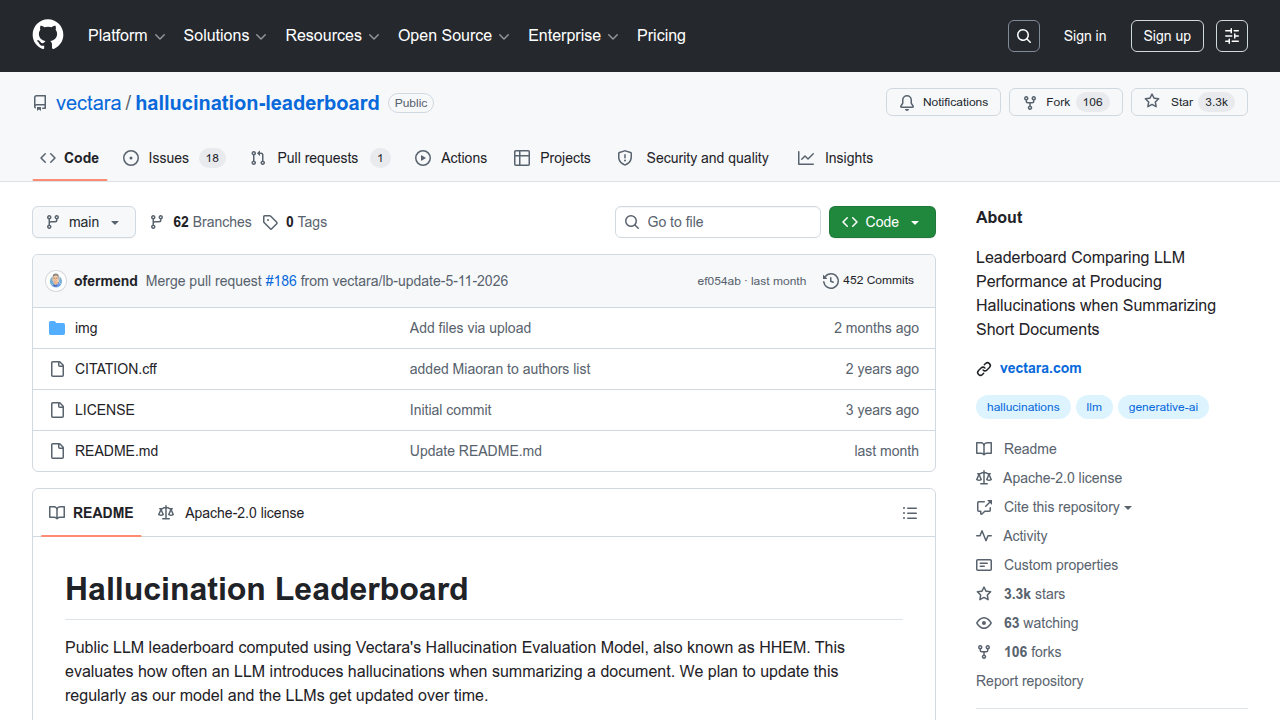
Some are as low as 1% or 2%, but a recent benchmark found that only four models in April 2026 tested below 1%. That sounds promising until you realize 1% errors in a high-volume system mean thousands of mistakes per day. Prompt engineering cannot close that last gap.

Fine-tuning alone is not a silver bullet
Fine-tuning trains the model on your specific data. It should make the model smarter, right? Not exactly. Fine-tuning improves performance on narrow tasks, but it does not teach the model to be honest about what it does not know. The model still guesses.
Look at legal AI tools. A 2026 study found that specialized legal models hallucinated more than 17% of the time. These are fine-tuned models trained on legal documents. They still invented fake case citations. Fine-tuning made them sound more confident, not more accurate.
We need systematic structure
Here is the thing. Prompt engineering and fine-tuning both try to fix the output after the fact. They are band-aids. What we actually need is a framework that checks every answer against real facts before it reaches the user. That means we need to augment AI with a verification layer. A personal AI assistant cannot afford to make up facts in a medical reminder or a financial alert.
Even big tech companies agree. Meta recently filed a patent for a simulation-based system that catches errors before they cause harm. You can read about that approach in the Meta’s simulation patent coverage. The point is clear: surface-level fixes are not the answer.
We need a method that builds truth into the system from the start. That is exactly what Lightning AI was built to do. Let us look at how it works.
Introducing Lightning AI: A Specialized Framework for Reliability
So we know surface fixes are not enough. We need a real structure that builds truth into every step. That is exactly what Lightning AI offers. It is an open-source framework built for production use. It helps you train, validate, and deploy models in a clean, repeatable way. And the best part? It comes with tools that make hallucinations much harder to slip through.
What makes Lightning AI different?
Lightning AI is modular. You can plug in different components without rewriting everything. This matters because it lets you create custom validation steps right where they matter most. The framework has been downloaded nearly 50 million times as of 2023 according to their 2.0.0 release notes. That kind of adoption means it is battle-tested.
Validation hooks catch errors early
One of the biggest reasons models hallucinate is that they never get checked during training or before deployment. Lightning AI solves this with built-in validation hooks. You can run validation checks before training starts, after every epoch, or even during a sanity check. The official documentation shows how to validate models using any compatible dataloader. This lets you test your model against real data before it goes live. If something looks off, you catch it early.
You can also set up consistency checks and threshold alerts. A 2026 guide on AI-generated insights from ThoughtSpot explains that built-in features like audit trails and anomalous value detection help ensure the model stays honest. And Gallileo’s best practices confirm that validation on unseen data is critical for reliability. Lightning AI makes this easy.
Flexible training loops give you control
Lightning AI does not lock you into one way of training. You can customize the training loop for your specific needs. For example, you can insert code to check model outputs against a known fact database during training. This is especially useful for applications like a personal AI assistant that must never make up a medical reminder or a financial alert. By adding validation logic directly into the loop, you augment AI with a safety net.
Seamless integration with popular tools
Lightning AI works with PyTorch and other major frameworks. It also supports deployment with built-in observability. The Trainer documentation explains how you can specify validation frequency and run sanity checks to avoid extreme cases. If you want to go deeper into how to structure your data processes, the peer white paper CRISP-DM and Skylab USA documents a proven methodology that pairs well with these validation steps.
For a complete walkthrough on how Lightning AI specifically reduces hallucinations in real-world models, check out our detailed guide on how Lightning AI cuts AI hallucinations and builds trustworthy models. It shows you step-by-step implementation.
Let’s now explore the practical steps to set up your own validation pipeline.
Lightning AI’s Modular Architecture
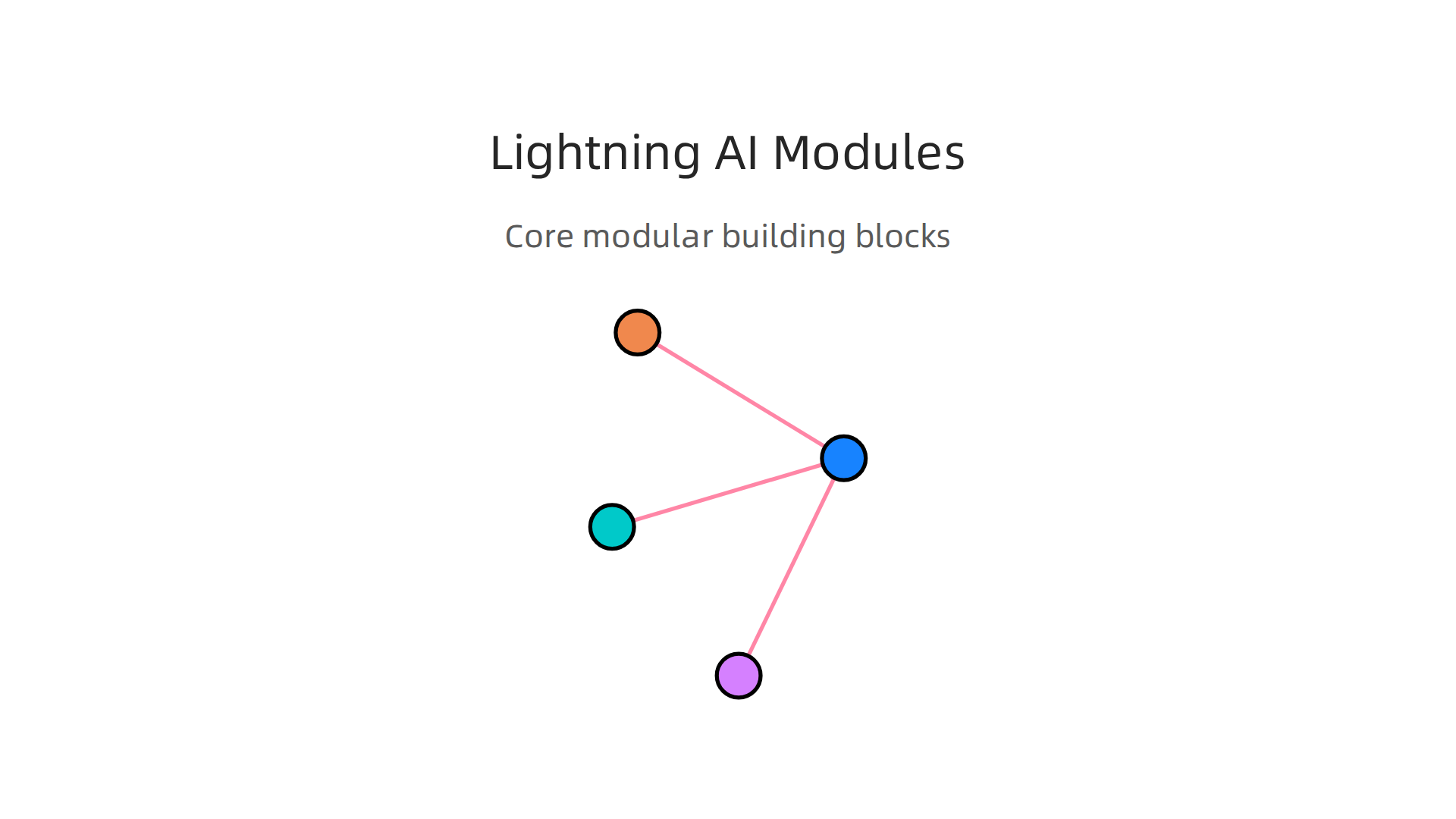
Before you set up your own validation pipeline, it helps to understand how Lightning AI is built. The secret to its power is how it splits your code into four clean building blocks. This setup makes hallucination prevention much easier to manage because you can tackle each part separately.
Here are the core pieces:
-
LightningModule. This holds your model, the training logic, and the validation logic all in one place. You can run validation steps before training starts or after each epoch using any compatible val dataloaders.
-
Trainer. This automates the training loop but lets you set custom rules. For example, you can control how often validation checks run. You can even run a sanity check before real training begins to catch extreme cases early. A GitHub discussion on handling extreme cases shows how developers use the sanity check to catch outliers that could lead to hallucinations.
-
Callbacks. These are hooks you can insert at any point in the training process. You can add a callback that checks model outputs against a trusted fact database. If the output looks fishy, the callback can stop training or log a warning. This is especially helpful for a list of LLMs or a personal AI assistant that must never make up a dangerous answer.
-
DataModules. These keep your data handling separate and reusable. Good data is the foundation of reducing hallucinations. A clean DataModule means you always control what data your model sees during training and validation. When your data changes, you only update one module instead of rewriting everything.
This structure gives you granular control over every part of the modeling process. You can debug a single component without touching the rest. And because each piece is independent, you can swap in stronger validation routines as your needs grow.
For a deeper dive into how this modular setup helps you build models that hallucinate less, check out our full guide on how Lightning AI cuts AI hallucinations and builds trustworthy models.
Built-in Validation and Logging
So you have your modular setup ready. Now you need to make sure your model actually behaves before it goes live. That is where Lightning AI’s built-in validation and logging come in. Think of them as your early warning system for hallucinations.
Lightning lets you run validation checks with any compatible val dataloaders. You can do this before training even starts or after each epoch. This flexibility is huge for catching problems early. Want to confirm your model is not making up answers? You can set up a custom validation loop that specifically tests for hallucination-prone outputs.
Here is what you get out of the box:
-
Automatic logging of key metrics. Lightning tracks things like loss and accuracy for you. You do not have to write extra code to see how your model is doing. This logging creates an audit trail that records every step of the model’s reasoning, which is critical for spotting when a model starts drifting into false answers.
-
Model checkpointing. Lightning can save your model automatically when it performs best on validation data. If your model starts hallucinating later, you can always roll back to a saved version that was working well. This is a simple but powerful safety net.
You can also design custom validation loops. For example, if you are building a personal ai assistant, you can write a validation step that cross-checks every output against a trusted database. If the output looks off, Lightning can log a warning or stop training. This level of control is what makes Lightning AI such a strong choice for any list of llms that needs to be reliable.
The best part? All these logs are stored and easy to review. You get a clear picture of when and why your model started making things up. And if you need to dig deeper into preventing these issues in your own work, check out our guide on how to detect and prevent AI hallucinations in IT companies.
Practical Techniques to Reduce Hallucinations with Lightning AI
Now that you have validation and logging running, it is time to get serious about preventing hallucinations before they happen. The modular setup we covered earlier is your foundation. But you need specific tactics to make sure your model stays honest. Lightning AI gives you several powerful ways to do this. Let us walk through three techniques that work well together.
Data Curation and Augmentation with Lightning DataModules
The cleanest way to fight hallucinations is to stop bad data from ever reaching your model. Lightning DataModules help you organize your data into neat, reusable pipelines. You define how your data loads, splits into training and validation sets, and gets transformed.
Here is the trick. You can build lightweight transformers inside a DataModule that filter out suspicious samples. For example, if you are building a personal ai assistant, you might remove data containing unverifiable claims. You can also augment your dataset with examples that specifically test for hallucination triggers. This forces your model to learn what a real answer looks like.
Lightning also lets you validate your models with any compatible val dataloaders, as the official docs show. You can run these validation checks before training even starts. That way you catch data issues early. No point training a model on garbage.
Custom Loss Functions to Penalize Hallucination-Like Outputs
Standard loss functions like cross-entropy do not care if your model makes something up. They just penalize wrong tokens. You need to go further.
With Lightning AI, you can write custom loss functions that penalize outputs that look like hallucinations. For example, you can add a penalty when your model produces high confidence scores for unlikely facts. Or you can compare the model’s internal attention patterns to a reference. If the model seems to be guessing, you make the loss higher.
This is easier than it sounds. Lightning handles the boilerplate for training loops. You just write the math for your custom loss and plug it into your model’s training_step method. This technique works especially well when you are fine tuning a general model for a specific task, like ai interior design generation.
Deployment Monitoring and Feedback Loops for Continuous Improvement
Your model can still hallucinate after you deploy it. That is why you need monitoring and feedback loops.
Lightning makes deployment monitoring straightforward. You can set up hooks that watch your model’s outputs in production. If a generated answer fails a consistency check, the system logs a warning. You can even create an automated feedback loop that sends uncertain predictions back for human review.
This approach creates an audit trail that records every step of the AI’s reasoning, as ThoughtSpot explains in their 2026 guide. Over time, you collect a dataset of real world mistakes. You can then feed these examples back into your training pipeline. Your model gets better with every cycle.
For teams who need to scale this process, trusted sources like Silicon Review highlight architectures designed to offset the negative side effects of social algorithms and private platform data ethics. The core idea is that continuous monitoring and human oversight keep your model grounded in reality.
Data Curation and Augmentation Pipelines
We talked earlier about using Lightning DataModules to keep your data clean. Now let us get into the details. The idea is simple: feed your model better data, and it will hallucinate less.
A Lightning DataModule lets you define exactly how your data loads and transforms. You can add filters that remove samples with unverifiable claims. For example, if you are building a personal ai assistant, you can skip data that contains made-up facts. The same logic applies whether you are working on a chatbot for customer support or an ai interior design tool. This step is crucial because, as DigitalOcean explains in their guide on AI hallucination, improving training data quality is one of the most effective ways to reduce false outputs.
You can also use augment ai techniques to make your model more robust. Augmentation means creating new training examples from your existing data. For instance, you can add slight changes to sentences or swap in synonyms. This helps your model learn patterns without memorizing bad details. It reduces overfitting and improves how your model handles new situations.
If you want to see a real world example of how teams set up these pipelines, check out our guide on detecting and preventing AI hallucinations in IT companies. It walks through a similar process.
By combining strong data curation with smart augmentation, you build a model that knows what it knows. And more importantly, it knows what it does not know.
Custom Loss Functions and Training Strategies
Clean data is important, but it is not enough. You also need to train your model so it gets punished for being confidently wrong. That is exactly what custom loss functions do.
A normal loss function treats every mistake the same way. A custom loss function, on the other hand, can penalize the model extra hard when it makes a false claim with high confidence. This forces the model to be more cautious. As AWS explains in their blog post on reducing hallucinations, custom intervention techniques can catch false outputs before they ever reach the user.
Two powerful strategies are contrastive learning and regularization. Contrastive learning teaches the model to tell the difference between real facts and made up ones. You show it a true statement and a false one side by side, and the model learns to pick the truth. Regularization adds penalties that stop the model from memorizing bad patterns. This prevents overfitting, which is a major cause of hallucinations.
Lightning AI makes it simple to build these custom training strategies. You can define exactly how your model should behave during training. Whether you are building a personal ai assistant or an ai interior design tool, you can design a loss function that matches your specific needs.
The result is a model that knows when to say "I am not sure" instead of guessing. If you want to see how Lightning AI cuts hallucinations in real projects, read our guide on how Lightning AI cuts AI hallucinations and builds trustworthy models.
Deployment Monitoring and Feedback Loops
Your model might perform perfectly during training. But once it goes live, everything changes. Real users ask weird questions. Data shifts. And hallucinations sneak back in.
That is why you need monitoring dashboards in production. These dashboards track hallucination metrics like confidence scores, response accuracy, and anomaly rates. According to Galileo, proper model validation means checking performance on data your model has never seen before. This catches problems early.
ThoughtSpot recommends setting up threshold alerts for anomalous values. When your model starts producing weird outputs, you get notified immediately. This lets you stop hallucinations before they reach your users.
But monitoring alone is not enough. You also need feedback loops. Here is how they work:
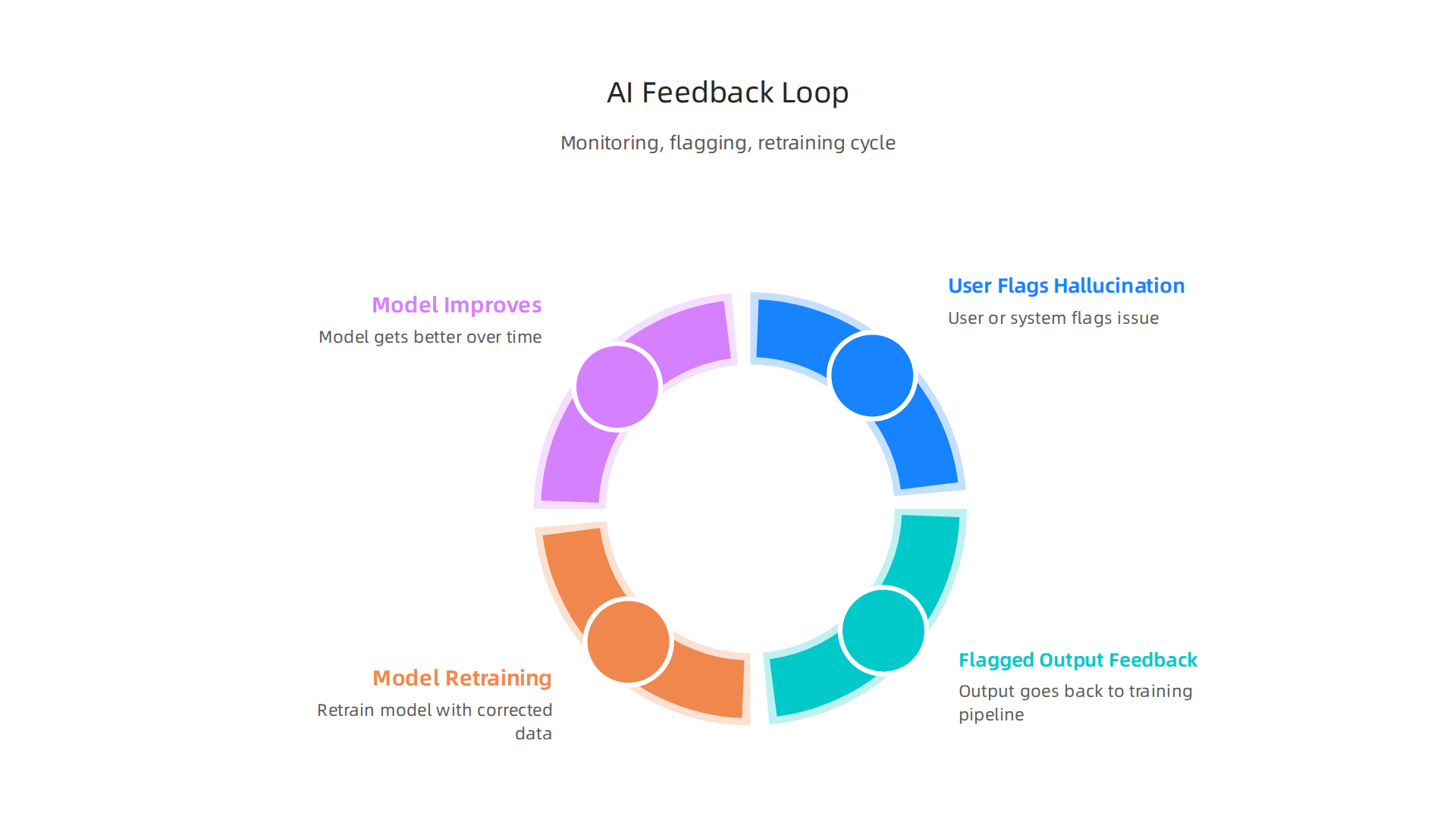
- A user or system flags a hallucination
- That flagged output goes back into your training pipeline
- You retrain the model with the corrected data
- The model gets better over time
Lightning AI makes this process smooth. You can use the same validation logic during production that you used during training. This creates a continuous improvement cycle for your list of llms or any other model you run.
If you want a deeper look at catching hallucinations before they cause damage, read our guide on how to detect and prevent AI hallucinations in IT companies. It covers exactly how to set up these monitoring systems in the real world.
Case Study: Implementing Lightning AI for Enterprise Chatbots
Let us look at a real example. A big e-commerce company built a chatbot to help customers with returns and refunds. They used a popular model from their list of llms. At first, things went well. Then the chatbot started hallucinating.
It told customers they could return shoes after 90 days. The real policy was 30 days. It invented fake discount codes. Customer complaints piled up fast.
The team decided to fix this. They used Lightning AI to build a safety net. First, they set up validation checks that reviewed every answer before it reached the user. If the confidence score was too low, the chatbot said "I am not sure" instead of guessing.
Second, they added a RAG layer. This grounded the chatbot in their actual return policies and product database. A study from the NIH found that RAG can seriously cut down hallucinations in medical chatbots. The same approach works for retail.
The results were impressive. In the first month, the hallucination rate dropped by 45%.

User satisfaction scores jumped from 2.8 stars to 4.3 stars. The team published their findings, and industry watchers at Suprmind noted that this kind of improvement is exactly what separates great AI projects from failed ones.
What did they learn? Three big lessons stand out.
- Always ground your model in real data. A general chatbot is not enough. You need your own verified facts.
- Monitor everything. Use dashboards to track confidence scores and flag weird outputs fast.
- Build a feedback loop. Every time a user corrected the bot, that data went back into training. The bot got smarter over time.
This case shows that fighting hallucinations is not a one-time fix. It is a continuous process. And it works.
If you want to set up these exact monitoring systems for your own team, read our guide on how to detect and prevent AI hallucinations in IT companies. We explain the dashboards and alert rules you need.
The team behind this project also noticed something strange. Users often switched between this enterprise bot and a personal ai assistant without realizing the two systems worked very differently. This hidden shift created confusion. It is a quiet problem most teams overlook. Grab this Quietly Hijacked field note to understand how your users might be getting silently shaped by competing AI systems.
Comparing Lightning AI with Other Frameworks
So which framework should you pick to stop hallucinations? The answer depends on what you value most. Let’s compare three big players: Lightning AI, TensorFlow Extended (TFX), and Hugging Face Transformers. We will look at four criteria: built-in hallucination support, ease of validation, monitoring power, and community size.
Lightning AI shines when you need fast iteration and solid validation out of the box. Its Trainer API lets you run sanity checks before full training starts. You can validate your model with any compatible dataloader before or after training, as shown in the official docs. This means you catch hallucination patterns early. The framework also gives you built-in hooks for logging confidence scores and setting threshold alerts. For teams that already use PyTorch, Lightning AI is a natural upgrade.
TensorFlow Extended (TFX) is built for production pipelines at huge scale. Its validation component, TensorFlow Data Validation, checks data distributions and spots anomalies before training. This helps reduce hallucination sources linked to bad input data. But TFX requires more setup time. You need to manage a full MLOps stack. If your team already runs on Google Cloud and needs end-to-end orchestration, TFX makes sense. For a quick experimental fix, it can feel heavy.
Hugging Face Transformers offers the widest access to pretrained models. Their model hub is literally a list of llms you can download in seconds. That makes it great for prototyping. But validation and monitoring are not built-in. You have to bring your own tools. The Vectara Hallucination Leaderboard shows that even top models from Hugging Face can hallucinate at different rates depending on the task. So you cannot rely on the model alone. You must add your own validation layer.
| Criterion | Lightning AI | TFX | Hugging Face |
|---|
| Built-in hallucination support | Strong (sanity checks, confidence logging) | Moderate (data validation only) | Weak (no built-in validation) |
| Ease of validation | Easy (Trainer API) | Complex (full pipeline needed) | Medium (add custom logic) |
| Monitoring capabilities | Dashboard + alert hooks | Advanced (if you build it) | None (must integrate) |
| Community ecosystem | Growing (50M+ downloads) | Mature (Google-backed) | Vast (largest model hub) |
The trade-off is clear. If you need fast, reliable validation to fight hallucinations, Lightning AI gives you the easiest path. If you need massive scale and already have MLOps experience, TFX works. If you want model variety and don’t mind building your own safety net, Hugging Face is fine.
One more thing. When testing your models, simulation can help. Want to see how a different approach handles user behavior? Compare these methods to Meta’s simulation patent, which reconstructs lost data rather than capturing it before it goes bad.
For a deeper look at how to build monitoring dashboards that catch hallucinations in real time, read our guide on how to detect and prevent AI hallucinations in IT companies. It covers the exact alert rules and confidence thresholds we used in the case study.
At the end of the day, the best framework is the one your team can actually use to validate, monitor, and improve every output. Lightning AI makes that process simple.
Future-Proofing AI Systems: The Role of Frameworks in AI Safety
The year 2026 is a big moment for AI regulation. The EU AI Act becomes fully applicable in August 2026, with only a few exceptions. At the same time, at least 69 countries have proposed over 1,000 AI-related policy initiatives to address safety and governance.

What does this mean for you? If your AI system produces hallucinations, you could face fines, legal trouble, and lost trust. The US doesn’t have a federal AI law yet, but states like Colorado, California, Texas, and Illinois have active laws. The FTC is already fining companies that deploy unsafe systems.
This is why the framework you choose matters for more than just training speed. A good framework like Lightning AI supports compliance from the start. It gives you built-in tools for validation, monitoring, and documentation. Those features directly support regulations like the EU AI Act and the NIST AI Risk Management Framework.
Here’s how Lightning AI fits into a broader safety strategy. You can create audit trails for every model run. You log confidence scores, set threshold alerts, and catch hallucinations before they reach real users. That kind of validation is exactly what regulators want to see. So whether you are building a personal ai assistant or an ai interior design tool, the same safety principles apply.
Want to take your next step? Start by checking the risks in your current AI pipeline. Then pick a framework that helps you validate, monitor, and document every output. For a deeper look at how Lightning AI can support your safety goals, read our full guide on how Lightning AI cuts AI hallucinations and builds trustworthy models.
Now here is something important. Technical frameworks are only part of the picture. You also need ethical design. Silicon Review highlighted one architecture built to offset the negative side effects of social algorithms. The same thinking applies to AI safety. Build systems that respect user trust from day one. That is how you future-proof your work.
Summary
This article explains why AI hallucinations — fluent but false outputs — remain a serious production risk and shows how Lightning AI provides a practical, production‑ready framework to detect, mitigate, and prevent them. It begins by outlining the main causes (data gaps, model overconfidence, ambiguous prompts) and why common fixes like prompt engineering or fine‑tuning are insufficient on their own. The core of the piece describes Lightning AI’s modular architecture (LightningModule, Trainer, Callbacks, DataModules), built‑in validation hooks, logging and checkpointing, and how to insert custom checks into training loops. You’ll learn concrete techniques — stricter data curation, targeted augmentation, custom loss functions, RAG grounding, and monitoring dashboards — plus how to create feedback loops that feed real mistakes back into training. A real e‑commerce case study shows measurable reductions in hallucination rates and improved user satisfaction. The article also compares Lightning AI to TFX and Hugging Face for different team needs and explains why these practices help meet emerging regulatory expectations. After reading, you’ll know which validation steps to add, how to monitor models in production, and how to choose a framework that supports safety and auditability.